Ans: Cloud synchronization is necessary nowadays, as people work and use multiple devices simultaneously, making it important for the progress to carry over to every device.

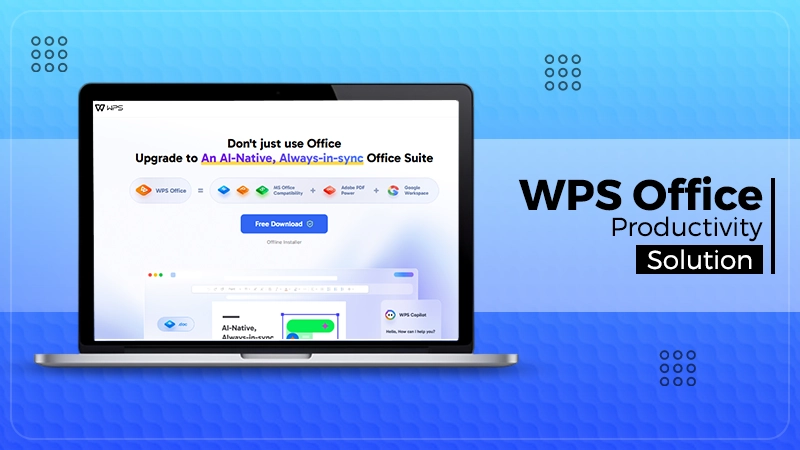

Productivity software is a must-have tool for students, professionals, companies, and teleworkers in the modern digital era. From creating documents to presenting a spreadsheet, having access to Office software can help you get more efficient and productive.
This is where WPS Office helps out and provides a functional alternative to office application software. It is massively popular due to its lightness, compatibility, and ease of use.
This article discusses the key features, benefits, and applications of WPS Office in detail to help users understand why it has become so popular among audiences.
Key Takeaways
- The installation is lightweight and uses fewer system resources compared with many traditional office suites
- The user can easily create reports, resumes, letters, academic work, and business proposals
- The software comprises formulas, pivot tables, charts, and various tools to enable data visualization
- Cloud backup means that users won’t lose their data as a result of failing hardware or accidental deletion
Some of the best features of WPS Office are that it is easy to install and use. Users can easily download WPS on desktops, laptops, tablets, and mobile devices without a deep knowledge of technical skills.
The software is compatible with Windows, macOS, Linux, Android, and iOS, thus accessible from various platforms. The installation is lightweight and uses fewer system resources compared with many traditional office suites.
This is very useful for people who have legacy systems and storage space restrictions. The interface is simple once installed and makes it easy for beginners to configure the software.
One of its other important benefits is the ease of cloud access. Users can save files to the web and work from other devices. This provides a lot of flexibility and can be used for remote working, online education, and collaborative tasks that need accessibility.
WPS Word Processor, a word processor included in WPS Office, perfect for creating professional documents. It can support and view various file types, including DOC, DOCX, TXT, and PDF, which are usable in common office applications.
The user can easily create reports, resumes, letters, academic work, and business proposals. There are templates to help save time and enhance the appearance of documents.
There are formatting tools, such as fonts, tables, headers, page layouts, and graphics, that allow users to customize the content as they see fit. Its other useful add-on is auto-save, which will stop users from losing their work in the event of any automatic shutdown or crash.
Also, it provides you with suggestions for spelling and grammar, and improves the quality and correctness of your writing.
Also, WPS Writer provides multiple user editing features so that multiple people can review and offer comments while editing documents. For businesses, educational institutions, and other entities, this feature is very useful.
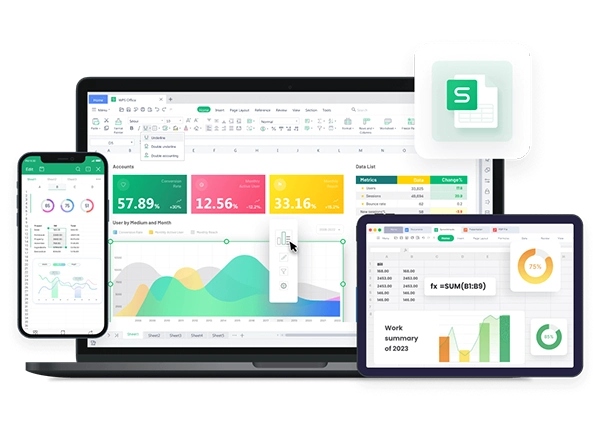
Spreadsheets are vital for organizing data, performing calculations, and analyzing information. WPS Spreadsheets provides a strong platform to process financial reports, business data, budgets, and statistical analysis.
The software comprises formulas, pivot tables, charts, and various tools to enable data visualization. Users can effectively manage large datasets and derive meaningful insights from them.
Compatibility with Microsoft Excel formats guarantees easy sharing and editing of files between various office suites.
Similar to Microsoft Excel, WPS Spreadsheets are created with productivity in mind. Calculations are faster and more accurate with features such as smart formulas, conditional formatting, and data filters.
These functions can be used in businesses to track performance, forecast, and maintain inventory. Spreadsheet Applications make it easy for students and researchers to complete academic calculations and to organize their projects. The software is efficient and can be used without facing performance concerns, even on lower-end devices.
In educational, business meetings, seminars, and marketing campaigns, presentations play an important role. WPS Presentation offers tools to create eye-catching slideshows with professional layouts and animation.
The software also includes multiple templates that allow users to create presentations quickly from the beginning, fast. Audiences can insert multimedia elements such as pictures, videos, charts, and transitions to enrich the audience’s experience. Present Mode is for easy presentation in meetings or conferences.
For maximum compatibility with other office applications, such as PPT and PPTX, PPT compatibility is provided. This will make sure presentation files will not transfer to the other platform and cause formatting problems.
For teachers, students, and business people who wish to use an effective presentation tool for which they don’t need to pay an expensive fee, WPS Presentation is a great alternative.
Fun Fact
If you are working late at night, the software features an “Eye protection mode” that casts a soothing, anti-glare screen hue over the screen to reduce visual fatigue.
Official documents, contracts, reports, and eBooks are frequently kept in PDF. WPS Office is preloaded with PDF tools for viewing, editing, annotating, merging, and converting PDF to WPS Office. Users don’t need to download any PDF software into their computer; all PDF-related matters can be done in the WPS Office environment. Depending on the document, users can also rearrange PDF pages to organize reports, contracts, and presentations in a more logical order.
This makes it easier and faster to do. The PDF conversion tools allow conversion of Word, Excel, Powerpoint to PDF and PDF to Word, without compromising formatting. The annotate feature is very convenient and useful when it comes to reading through contracts, studying material, or providing feedback on a document.
There are possibilities to highlight text, comment, and add signatures within PDF files. WPS Office is more of an office tool for professionals who regularly deal with digital documents and need a comprehensive PDF solution integrated into their program.
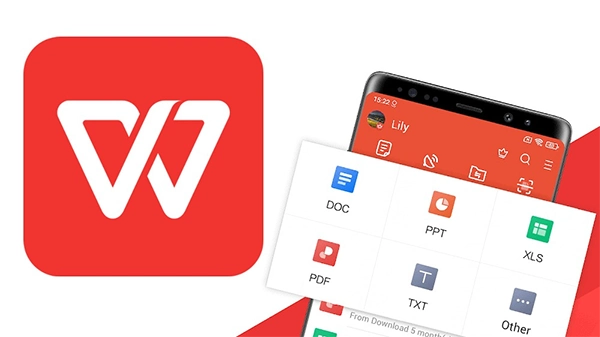
Nowadays, users do more than just work or study on a single device. They work or study across many devices at the same time.
WPS Office caters to this by providing cloud synchronization and cross-platform compatibility. The files on the WPS cloud are at users’ disposal whenever and wherever they want to use a smartphone, tablet, or computer. Thus, without removing from the main device, users can keep on learning.
Automatic synchronization makes sure to provide synchronization between all the devices involved.
Cloud integration also enhances collaboration. Editors (with permissions) can share files, monitor progress on editing, and edit and control projects more effectively. That’s beneficial for those who work from home or are students online.
This applies to data security, too. Cloud backup means that users won’t lose their data as a result of failing hardware or accidental deletion. Besides the various features, WPS Office also has security options such as WPS Office password protection, encryption, and many more, which make it safe to manage sensitive information.
WPS Office has been a helpful, powerful productivity program for today’s users. Works on several operating systems, can be adapted to many documents, has built-in PDF Tools, good for students, professionals, freelancers, and businesses.
As an all-in-one office product suite, WPS Office really does enhance your everyday productivity, whether you’re drafting documents, using a spreadsheet, or creating presentations.
The application is user-friendly and is versatile enough for beginners and pros.
If you’re seeking a dependable office suite that can help you be efficient and flexible, you may want to take into account downloading WPS and discovering its extensive array of tools for personal and business use.
Ans: Cloud synchronization is necessary nowadays, as people work and use multiple devices simultaneously, making it important for the progress to carry over to every device.
Ans: The software is compatible with Windows, macOS, Linux, Android, and iOS, thus accessible from various platforms.
Ans: Compatibility with Microsoft Excel formats guarantees easy sharing and editing of files between various office suites.
Ans: Yes, it allows users to create presentations using the many templates it provides, and is also compatible with many PPT formats.