Yes, the tools mentioned are developed by reputable firms. However, always download them from official sites to avoid malware. To increase recovery chances, avoid saving new files to the affected drive until the recovery is complete.

One of the most aggravating issues you can face any time is Data loss from a Mac. Losing data, whether due to natural causes. If you have ever had a sudden instance of loss of Data from your Mac, try third-party free Mac data recovery software tools to recover lost data on Mac.
In 2026, there are multiple free, powerful Mac Data recovery tools that allow users to recover their photos, videos, documents, and other files in just a matter of a few clicks! Many of these tools come with free limits and trial versions, allowing you to help recover your data without any upfront costs.
This guide will review the six best free Mac Data recovery softwares of 2026, breaking down each of them, showing their best features and limitations to find the best fit for you to recover your already lost data.
KEY TAKEAWAYS
- Most top-tier free tools, such as Stellar and iBoysoft, offer approximately 1GB of data recovery, while EaseUS provides up to 2GB.
- Advanced algorithms now support “Deep Scanning,” which can pull data from formatted or partially damaged partitions.
- While most tools feature intuitive graphical interfaces, open-source options offer powerful recovery through a command-line interface for more technical users.
Recovering deleted files from your Mac can be easy with the variety of sharing services available. Here are three of the best options:
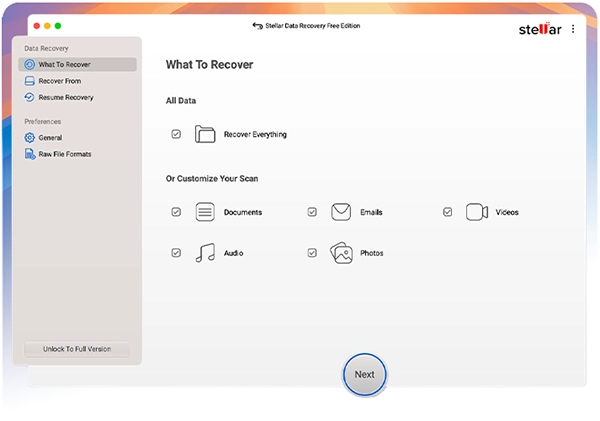
Stellar Data Recovery Free for Mac is a free Mac data recovery software designed to help users recover lost or deleted files from various storage devices. The software supports recovery of files deleted due to accidental deletion, formatting, corrupted drives, or system crashes. This Mac recovery tool is known for its simple, intuitive interface, making the recovery process accessible to beginners.
Stellar Data Recovery Free for Mac can help you recover up to 1GB of deleted files from your computer—for free! This data recovery tool also allows you to preview your files before you save them to your Mac, which is convenient when it comes to selecting what you want to restore.
The powerful scanning options allow the recovery of deleted files, even if they have been deleted from a formatted or partially damaged drive.
Key Features:
Limitations:
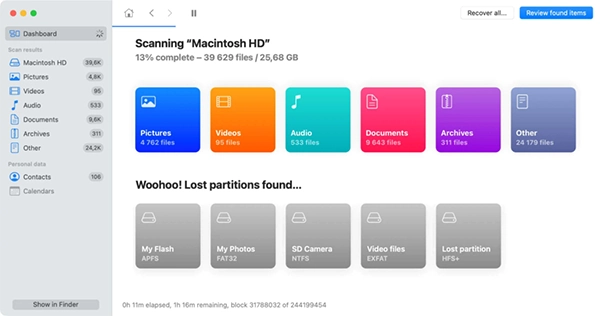
Disk Drill is a popular tool that is developed by CleverFiles and allows users to recover lost/deleted files from their Mac. Using powerful scanning algorithms, you will be able to recover files that were accidentally deleted, formatted, or lost due to a hardware malfunction. With multiple scanning options such as Quick Scan, Deep Scan and Smart Scan; you’ll be able to find what you’re looking for efficiently and easily.
Additionally, this Mac data recovery tool offers advanced features such as disk health monitoring, duplicate file detection, and storage cleanup.
Key Features:
Limitations:
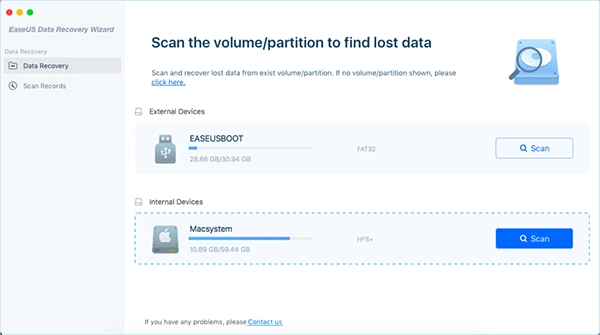
EaseUS Data Recovery is a popular free Mac data recovery software that helps you restore files when they are accidentally deleted, a drive is formatted, or the system encounters unexpected errors. The software supports files deleted from Mac’s internal hard drive and from external storage devices, such as USB drives and SD cards.
Finally, this free Mac data recovery software also has a range of excellent features including a very easy-to-use interface, impressive scanning capabilities, and broad compatibility with macOS systems. In addition, the free version allows recovering up to 2GB of data, which is sufficient for many common scenarios of recovering files that have been lost.
Key Features:
Limitations:
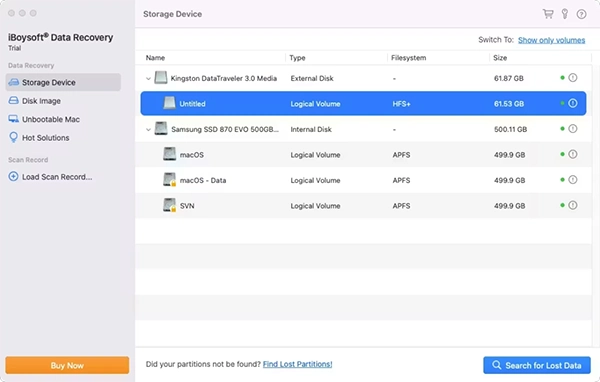
The iBoysoft Data Recovery for Mac software allows you to recover lost data from internal and external sources (e.g., hard drives and USB flash drives). This is a FREE program that has an intuitive interface and easy steps to recover data.
It supports many common macOS file systems, including APFS, HFS+, FAT32, and exFAT. The free version supports recovery of up to 1 GB of files.
Key Features:
Limitations:
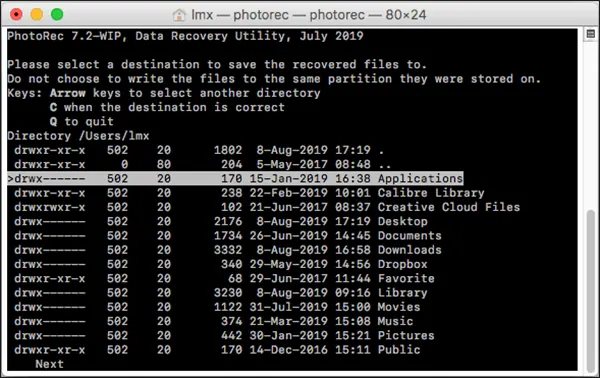
PhotoRec data recovery for Mac can recover files from many different types of storage media. It is an open-source program, which means that it is free to use. PhotoRec works on command line (text-based) as opposed to a graphical user interface (GUI), making it slightly more difficult to navigate for those who are not accustomed to using the command line.
Key Features:
Limitations:
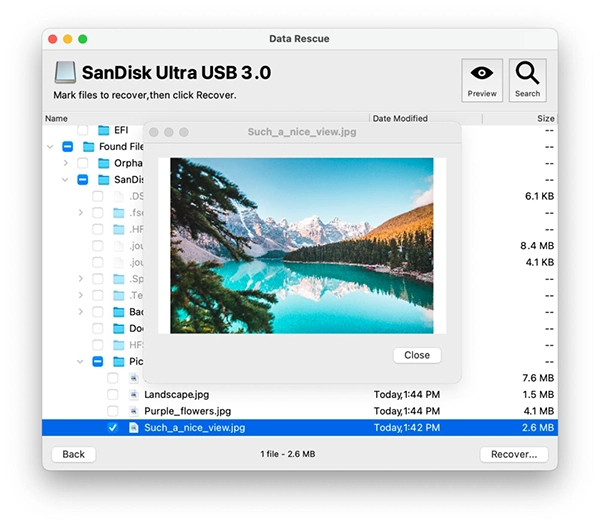
Data Rescue for Mac, developed by Prosoft Engineering, is a professional Mac data recovery software that you can use to recover lost, deleted, or inaccessible files from Mac storage devices. The tool is compatible with various storage devices, including internal Mac drives, external hard drives, USB flash drives, SD cards, and other storage media.
It is a fantastic Mac data recovery program that allows you to recover data from a drive that has been damaged and/or will not mount. In addition, Data Rescue allows you to view the recoverable files that you have selected to save prior to saving them back to your device.
Key Features:
Limitations:
Data loss can happen to you at any time. If you ever find any important files missing from your Mac, go with the aforementioned top 6 free Mac data recovery software tools of 2026 to get your files back. Choosing the right software depends on the type of data loss and your level of technical expertise.
It’s essential that you thoroughly evaluate these applications’ features prior to choosing one to ensure you pick the one that will meet your needs the best. You should be able to successfully recover any data that you have lost on your Mac by choosing the right tool and acting fast after losing it.
Yes, the tools mentioned are developed by reputable firms. However, always download them from official sites to avoid malware. To increase recovery chances, avoid saving new files to the affected drive until the recovery is complete.
Tools like iBoysoft offer features that work within macOS Recovery Mode, allowing you to salvage data even if the primary operating system fails to boot.
These limits are designed to help users recover essential documents or a few photos. For entire hard drive backups or large video libraries, developers encourage upgrading to their professional versions.