Social media has grown into our lives a lot, and we have become accustomed to it. We post things about our lives on this platform. Every time we post anything, we leave a digital footprint that is forever there for everyone to see. Every mistake and every embarrassing thing stays.
But there are options for you to manage your footprint; there are anonymous tools to inspect recent likes Instagram records, setting up strict boundaries protects your digital privacy. Read the blog for more details.
What Is Publicly Visible vs. What Remains Private
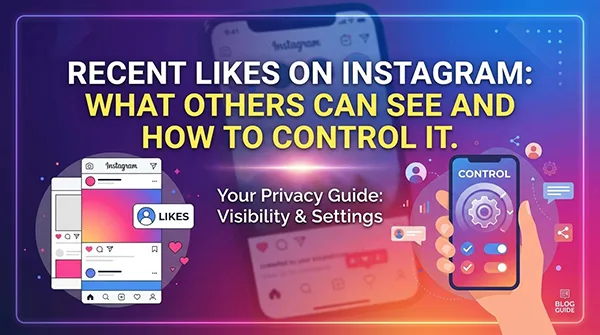
Instagram removed its “Following Activity” tab years ago, ending the time when friends could scroll through a live feed of every post you liked. But tapping a heart still makes specific public interactions on the platform. Here is a breakdown of what others can and cannot see when you like content:
Direct Interactions on Public Posts: If you like a post posted by a public account, anyone who views that post can see your handle in the list of likes, regardless of whether they follow you.
Likes on Mutual Friend Profiles: If you like a post posted by a mutual friend, your name usually comes prominently at the top of the post’s like recap (e.g., “Liked by [Your Name] and others”).
Likes on Private Account Posts: When you double-tap content on a private account you follow, your like can be seen only to other approved followers of that exact private account.
Invisible Story Likes: Hearts sent on temporary 24-hour stories are fully private; only the account owner gets a notification and sees your name in their story view list.
4 Essential Settings for Instagram Activity Privacy
Taking charge of your digital footprint means changing key profile controls. By changing your Instagram privacy settings, you can limit who sees your engagement patterns and protect your personal browsing habits.
1. Switch to a Private Account
Turning your profile to private is the best way to protect your entire account data. It does not hide your likes on public posts; it limits your profile, follower lists, and personal posts to approved followers.
2. Hide Like Counts on Your Posts
You can hide total double-tap counts on your own posts before or after posting:
Before Publishing: On the final caption screen, tap Advanced Settings, then turn on Hide like and view counts on this post.
On Existing Posts: Tap the three dots in the top-right corner of any post and pick Hide Like Count.
3. Adjust Global Viewing Preferences
To clean up your feed and hide total like counts on posts from other users, open your profile menu, select Settings and activity, go to Like and share counts, and turn the setting ON.
4. Turn Off Activity Status
Your active status shows when you are online or when you last opened the app. Disable this feature by navigating to Settings and activity, selecting Messages and story replies, and switching Show Activity Status OFF.
Deep-Dive Analysis with Peekviewer
When scanning public profiles, seeing engagement trends, or conducting brand audits, interacting straight through your primary account makes useless exposure. Accidental likes or misclicked taps instantly notify account owners and change your public activity record.
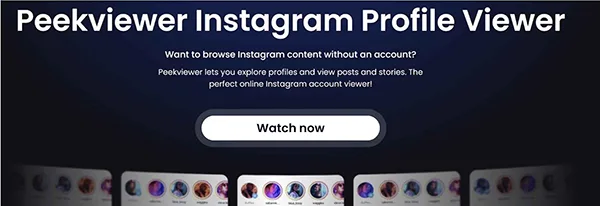
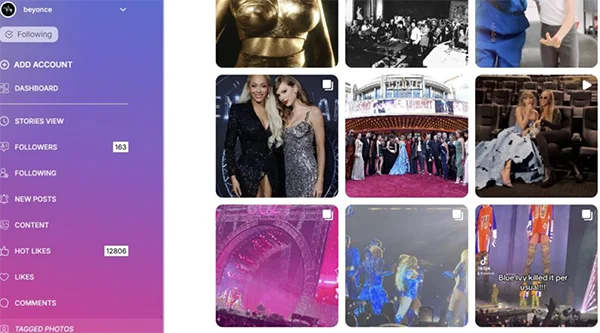
Using Peekviewer—a dedicated public viewer and scanning tool—lets you check public profile engagement, check post performance, and check interaction lists fully anonymously without logging into an account.
Key Benefits of Peekviewer for Research and Privacy
Standard free web scrapers usually crash or freeze under regular research tasks, making professional data collection difficult:
No Login or Password Required: Secure your main accounts by operating fully without personal credentials, app authorizations, or social logins.
Complete Browsing Anonymity: Check public posts, reels, active stories, and liked lists without making notifications or leaving digital traces.
Centralized Data Management: View feed posts, engagement timelines, and public user interactions inside one clean, unified dashboard.
Extended 90-Day Media Storage: Save public posts and expiring story clips into a personal cloud archive for long-term project reference.
Dedicated 24/7 Technical Support: Access round-the-clock technical help to ensure continuous, uninterrupted access to public data.
Practical Instagram Account Privacy Tips for Daily Use
Maintaining strong Instagram activity privacy needs consistent habits with your account settings. Do these straightforward Instagram account privacy tips to keep your profile safe:
Unlike Sensitive Content Periodically: Check your past engagement by going to Your activity, then Interactions, and selecting Likes. You can remove your heart from older posts to clean up your history.
Beware of Public Comment Threads: Remember that liking a comment on a popular public post changes the comment author and makes your interaction visible to anyone reading the thread.
Audit Connected Third-Party Apps: Check which external services have access to your account by seeing your desktop account settings. Disconnect any unknown services that may see or automate interactions on your behalf.
Use Secondary Profiles for Browsing: If you often research accounts, try using a different research profile or an anonymous platform to keep your personal handle isolated.
Conclusion
Learning how Instagram likes visibility functions lets you engage with content confidently without making useless compromises. And the platform no longer shows your every move to a live activity feed; your public double-taps stay traceable on open profiles.
By learning your Instagram privacy settings, applying practical Instagram account privacy tips, and utilizing Peekviewer for anonymous research, you keep full control over your digital footprint. Protect your personal profile today and enjoy total clarity over public social media activity.
FAQs
1- How to remove your likes from multiple Instagram posts?
To remove your likes from multiple posts:
Click the Menu in the bottom left, then click Your Activity.
Click Interactions on the left, then click Likes at the top.
Click Select in the top right, then click Select on the posts you want to unlike. To filter your likes before making your choices, click Sort & Filter at the top and select your filter preferences, then click Apply.
Click Unlike at the bottom to remove your likes, then click Unlike to confirm.
2- How do I manage who can see your likes on content on Instagram?
Open the Instagram app.
Tap Profile or your profile picture in the bottom right to go to your profile.
Tap the More options Menu in the top right.
Tap Likes you’ve made.
Select your preferred setting for who can see what you like.
Allow everyone to see likes: Everyone can see what you like.
Allow people you follow to see likes: Only people you follow can see what you like.
Allow close friends to see likes: Only your close friends can see what you like.
Don’t allow anyone to see likes: No one can see what you like.
3- How to hide and unhide on Instagram posts and reels?
To hide or unhide like counts for others’ posts and reels:
Click the More icon, then click the Settings icon.
Below What you see, click Like and share counts.
Click Toggle off or Toggle on next to Hide like & share counts to turn this setting on or off.