The modem brings the internet into your house. The router shares that connection with all your devices. Some boxes do both, but they are two different jobs.

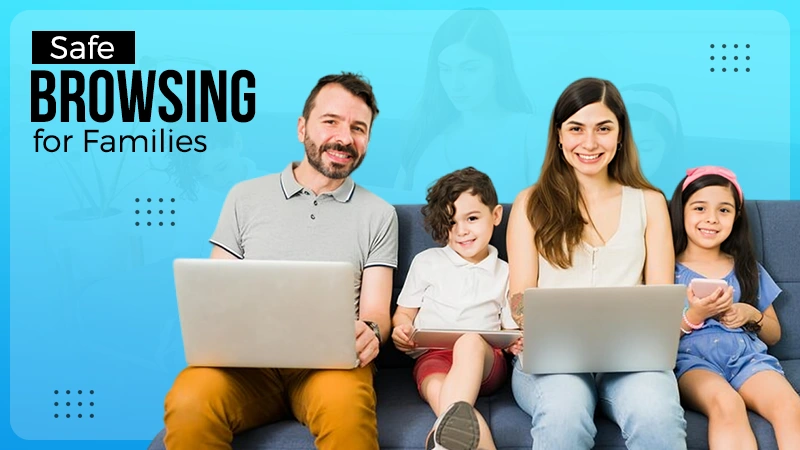

Research shows that US internet households now average 17.8 connected devices, and that number continues to grow every year. Between smartphones, tablets, gaming consoles, smart TVs, speakers, cameras, and wearables, today’s family home is more connected than ever before.
Yet most parents know far more about setting screen-time limits than they do about the network those screens rely on. That gap matters. The same network that streams movies, powers homework sessions, and keeps families connected is also the first line of defense against online threats.
The good news is that you do not need an IT certification to understand it. A few basic concepts can help you make smarter decisions about security, privacy, and safer browsing for your children.
This guide breaks down the essentials of home networking in plain English. You’ll learn how your internet connection reaches your devices, what IP addresses actually do, and the practical steps any family can take to create a safer online environment.
KEY TAKEAWAYS
- Your modem connects your home to the internet, while your router distributes that connection to all your devices.
- Every internet-connected device adds convenience, but it also increases the importance of good network security.
- Creating a separate network for children’s devices makes parental controls easier to manage and improves overall security.
- Strong passwords, router updates, and network-level content filtering are among the simplest ways to improve online safety.
Let’s first understand how that box fetches whatever you demand, digitally on your screen.
The modem is the doorway. It is what connects your house to your internet provider. The router is the traffic controller inside your home. It takes that connection and shares it with every device that needs to get online, from your laptop to the smart bulb in the hallway.
Some homes have a single box that does both jobs. Others have two separate units. Either way, this little setup is doing more work than people realise.
Wi-Fi is convenient. You can sit anywhere in the house and watch a movie. But a wired connection is faster, more stable, and a lot harder for someone to snoop on. For things like a desktop computer or a smart TV that never moves, plugging it in directly is genuinely worth the effort.
Most families underestimate just how many things are connected. Smart speakers, doorbell cameras, gaming consoles, fitness watches, and even some toys. Twenty connected devices in one home is not unusual anymore. Each one is a tiny door, and tiny doors add up.
Here is where a lot of parents tune out, but stay with me, because this part actually matters.
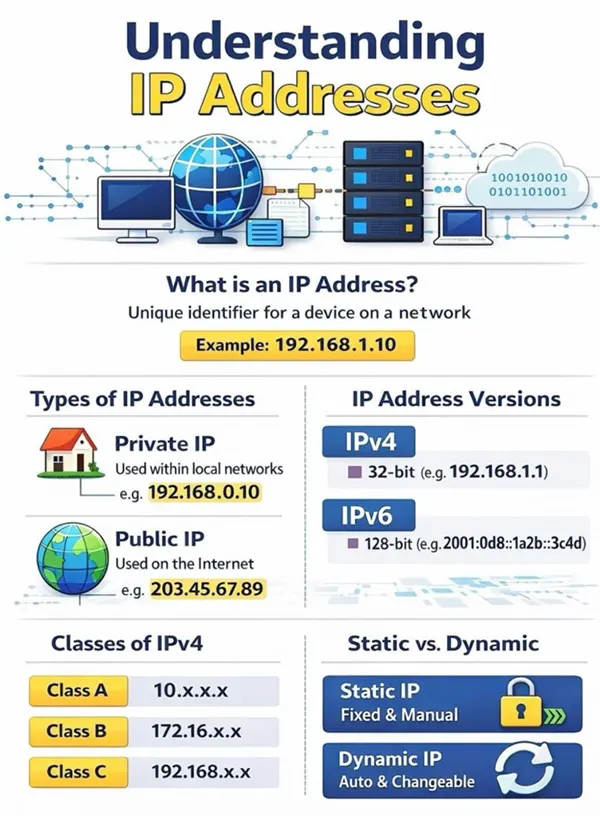
Think of an IP address like a postal address for your device. Every phone, tablet, and laptop that goes online needs one so that information knows where to go. Without an IP address, websites, apps, and online services would have no way to know where to deliver the information your device requests.
The older system, called IPv4, was built decades ago when nobody imagined every fridge and watch would one day need their own address. The pool is essentially used up. A newer system, IPv6, exists, but the world has been slow to fully switch over.
So how do the streaming services, gaming platforms, and parental control apps your family uses every day keep running? Because the companies behind them have to keep finding addresses to grow. Since new ones are not being handed out in most regions, providers often have to buy IPv4 blocks through specialised brokers in a global secondary market. It sounds technical, but the simple version is this: somewhere behind the scenes, someone is making sure your kid’s favourite app has enough room to keep working smoothly.
Now to the part you can actually control.
Default network names often give away the brand of your router, which is a small gift to anyone trying to break in. Change it to something that does not identify your family or your home. For the password, longer is better than complicated. Security experts generally recommend using a long passphrase made up of unrelated words because it is easier to remember and significantly harder for attackers to guess.

Most modern routers let you set up a second network, sometimes called a guest network. Use one of these just for your children’s devices. This makes it much easier to apply screen time rules, content filters, and bedtime cutoffs to the right devices without affecting everyone else in the house. If you want a step-by-step walkthrough for specific apps, browsers, or gaming platforms, our parental control guides cover most of the common ones.
This is the one most people skip. Routers run software, and that software needs updates just like your phone. Outdated firmware is one of the most common ways home networks get compromised. Turn on automatic updates if your router supports it.
Tools are only half the story. The other half is what your kids actually do online.
Kids click fast. Show them what phishing looks like. The fake login pages, the pop-ups that say they have won something, the download buttons that are clearly too eager. Building these habits early helps children become more confident and responsible digital citizens as they grow.
There are free family-friendly DNS services you can set up on your router that block adult content and known dangerous sites for every device on the network automatically. No app installation, no per-device setup. Just one change at the router and the whole house is covered.
The parental control apps, monitoring services, and safety tools families rely on do not run on magic. They run on real infrastructure built and maintained by companies in the Internet address space. These behind-the-scenes providers help platforms secure the resources they need so the services your family depends on stay reliable. When the plumbing works, you do not notice it. That is the goal.
You do not need a weekend project. Try these.
Keeping your family safer online does not require becoming a networking expert, one perfect tool, or one magic setting. It is about understanding the layers, from the router sitting in your living room to the global network of services that quietly make every connection possible. Small habits beat big overhauls. Get curious about how your home network works, and that curiosity itself becomes a form of protection.
The modem brings the internet into your house. The router shares that connection with all your devices. Some boxes do both, but they are two different jobs.
With network-level filters in place and a separate kids’ network, it is reasonably safe for short, supervised use. Younger children should not be browsing alone for long stretches.
It could be too many devices competing, an outdated router, or congestion on your provider’s end. Restarting the router clears more problems than people expect.
App-based controls protect the specific device they are installed on. Router-level controls cover everything connected to your Wi-Fi, which is why combining both works best.