No. It simply helps avoid the browser from storing your browsing history. Nothing more than this.

Almost all of the possible activating has gone digital. As a result, we spend hours online in activities including shopping, banking and scrolling social media. All without knowing that we are leaving various data behind.
The data that cybercriminals are looking for. From using similar passwords across various platforms to other small decisions, everything matters. The good news – you need to master cybersecurity to avoid these.
Simply exploring the 7 biggest online privacy mistakes that have been mentioned in this post, along with the solutions to fix them, can make one more aware.
Key Takeaways
- Incognito mode only helps to prevent the browser from tracking your online history; it does not provide any security.
- Using any random Wi-Fi while travelling or while making payments can help to reveal your sensitive information to cybercriminals.
- Regularly checking the app permissions and using a reliable VPN helps to avoid storing unnecessary data.
A quick and short answer to this might be agreeing to this statement. Most people simply reveal personal information through everyday browsing habits, weak privacy settings, and unsafe network approaches. The good news is that a few simple changes can truly improve your online privacy.
Privacy isn’t about hiding your data – it’s about managing what information you choose to share.
Private browsing is one of the most misconstrued features on the internet.
Incognito Mode stops your browser from saving:
It does not save your IP address, encrypt your traffic, or prevent websites, your employer, or your internet provider from seeing what you do.
Kids often make silly mistakes. Here are 4 privacy smart methods to submit their homework safely.
Free Wi-Fi is easy to use, but it isn’t always reliable.
Whether you’re at a:
You usually can’t manage how the network is dealt. with
For sensitive activities such as accessing work accounts or logging into financial services, additional protection is advised.
A single unmanaged password can put various accounts at risk.
Instead:
Strong passwords are a reliable and proven way to enhance security. For a better understanding, learn how anonymous viewing tools are changing privacy aspects.
Many websites ask for permission to collect tracking data.
Saying yes to every option by default can increase tailored advertising and cross-site tracking.
Spending a few extra seconds to check cookie settings gives you greater control over your browsing data.
Security updates don’t just add features – they often resolve newly found risks.
Keeping your operating system, browser, and apps updated lowers the chances of attackers using known security flaws.
Some apps request access to:
Not every approval is necessary.
Checking app permissions regularly helps reduce vague data collection.
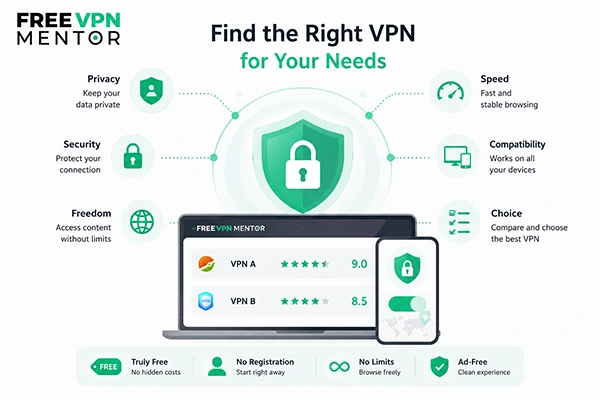
Many people use the first VPN they find in an app store.
However, VPN providers differ mainly in:
Rather than depending only on advertisements or star ratings, it’s suggested to compare services before making a switch.
Resources like FreeVPNMentor help users check VPN providers based on real-world criteria such as privacy, streaming performance, speed, supported platforms, and ease of use. Exploring various providers makes it much easier to find a VPN that fits your own needs instead of predicting there’s one service that’s best for everyone.
Remembering every privacy rule might be a bit messy for users. Here is a simple checklist to ensure:
Even following a few of these practices can effectively improve your online privacy.
At the end of the day, online privacy does not ask you to go silent on social media apps to prohibit you from sharing posts and stories. It simply suggests you be a bit more active to ensure no one can easily gather your sensitive information.
To come to a completely safe stage, simply start by using strong passwords, review the conditions before making any random click and do not connect to any random Wi-Fi. While these small steps may not make you completely safe, they will definitely reduce the chances of you being caught by cybercriminals.
No. It simply helps avoid the browser from storing your browsing history. Nothing more than this.
Not necessarily. For your routine tasks, such as online shopping, you do not need a VPN. While using others’ Wi-Fi, it can be useful.
No. Privacy also involves limiting unnecessary data collection by advertisers, websites, apps, and online services.