You can do that through built-in OS features or proper office suites.

“Good order is the foundation of all things.” — Edmund Burke (Philosopher & Statesman)
Believe me, working with messy files is just as bad as looking at them. They slow you down, create confusion, and make even simple tasks feel harder than they should be. It’s a common problem for many to dig through multiple PDFs to find the right version or piece together documents before sending them. It gets really frustrating quickly.
Multiple folders house multiple documents. Saved with ambiguous names. And in different formats. When it’s time to share or review them, things get messy quickly. Trying to manage multiple documents instead of one clean file adds unnecessary steps to your workflow.
However, the fix is quite simple. Once you start to combine PDFs into a single, organized file, everything becomes easier to manage, share, and work with.
Working with multiple PDFs simultaneously only adds to your issues. Even if each document is well-prepared on its own, things can fall apart when they’re not organized properly.
Having multiple PDFs for one project makes it harder to keep track of everything. You might have one file for a report, another for supporting data, and a third for revisions.
Switching between documents takes time, especially when you need to reference information across documents.
Different files often come from different sources. That means fonts, layouts, and styles don’t always match.
When you send these documents together, the result can feel unpolished and harder to read.
Managing multiple files also increases the total size of what you’re working with. This can make uploading, downloading, or sharing documents slower than necessary.
In some cases, email attachments may even fail due to size limits.
Version control is one of the biggest challenges. Without a single combined document, it’s easy to send the wrong file or miss important updates.
Consolidating multiple files in one makes things easier. When you combine PDF documents, you create a single, structured file that’s easier to handle.
This small change makes a big difference in how you work with documents.
A single document removes the need to jump between files. Everything is in one place, which makes reviewing and sharing much more straightforward.
You don’t have to worry about missing attachments or sending incomplete information.
When you combine documents, you can control the order and presentation. This helps create a more polished final file, especially for business or client-facing work.
In the past, combining files often meant using desktop software or manual workarounds. Today, you can combine PDFs online using browser-based tools that simplify the entire process.
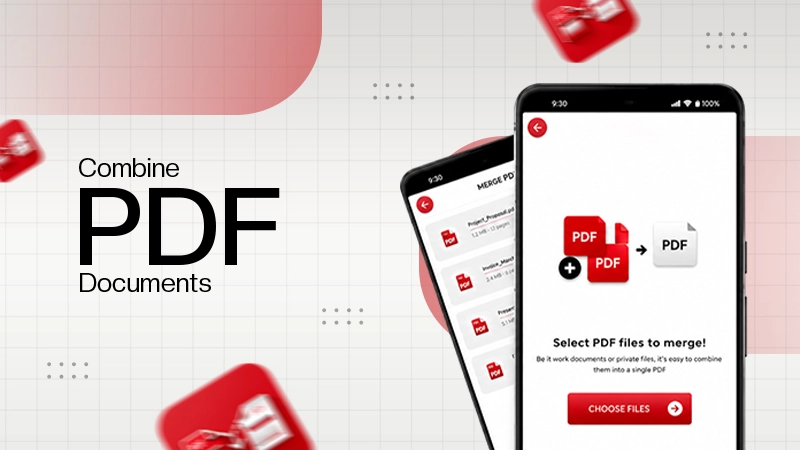
Instead of dealing with multiple steps, you upload your documents, arrange them, and merge them in seconds.
Tools like Lumin make it easy to manage documents in one place without overcomplicating the process. Then there are complete office suites like WPS Office for comprehensive services.
MARKET OUTLOOK
The global PDF editor market was valued at $4.8 billion in 2025 and is projected to reach $11.2 billion by 2034, with a CAGR of 9.8%.
You can combine PDFs online easily. Here’s what the process looks like:
Start by opening a tool that allows you to combine PDF documents directly in your browser. Upload all the documents you want to merge.
Most tools support drag-and-drop, so this step takes just a few seconds.
Before merging, organize your files in the order you want them to appear. This is important because it determines how your final document will be structured.
You can usually reorder documents by dragging them into place.
Once everything is arranged, click the combine or merge option. The tool will process your files and create a single document.
If you only need to combine two PDF documents, the process is even faster.
After merging, download your file or share it directly. Many tools allow you to send the document without saving it locally, which saves time.
Combining PDFs is beneficial across different work areas.
In business settings, combining documents is a daily task. Teams often merge reports, contracts, and presentations into a single file before sending them to clients or stakeholders.
This keeps communication clear and reduces the risk of missing information.
Students regularly deal with multiple files, especially when working on research or assignments. Combining notes, references, and final drafts into one document makes submissions cleaner and easier to review.
Freelancers often create proposals or portfolios that include multiple elements. Instead of sending separate documents, they combine PDF documents into one professional package.
This makes a stronger impression and keeps everything organized.
Administrative tasks often involve forms, records, and documentation. Bringing these into one file simplifies storage and makes retrieval easier.
In some cases, you might also need to combine JPG to PDF or combine multiple images into a PDF. This is useful when working with scanned documents, receipts, or visual materials that need to be shared as a single file.
Falling into the abyss of disorganization even after combining PDFs undoes all its benefits. A few simple habits can help keep everything under control:
File names should be easy to understand at a glance. Avoid vague labels and include relevant details like dates or versions.
This makes it easier to find and manage documents later.
Using cloud storage keeps your documents accessible and organized. You can group related documents into folders and access them from any device.
This also makes it easier to collaborate with others.
Instead of waiting until things get messy, combine related files as you go. This prevents clutter from building up and keeps your workflow consistent.
If your PDFs are large, compress them before sharing. This reduces file size and helps avoid issues with uploads or email limits.
Messy documents are a common problem. But it’s not common knowledge that the fix is also easy. When you stop managing multiple documents separately and start to combine PDF files, your workflow becomes much simpler.
A single, well-organized document is easier to review, share, and store. It reduces confusion, saves time, and makes your work look more polished.
You can do that through built-in OS features or proper office suites.
Many websites like iLovePDF, Adobe Acrobat Online, and Smallpdf provide that facility.
It simply improves organization and efficiency, streamlining the sharing of the doc.