No. It greatly reduces the number of manufacturing defects that reach customers, but it cannot guarantee a device will never develop a problem. Careful use, proper charging, and attention to recalls are still important.

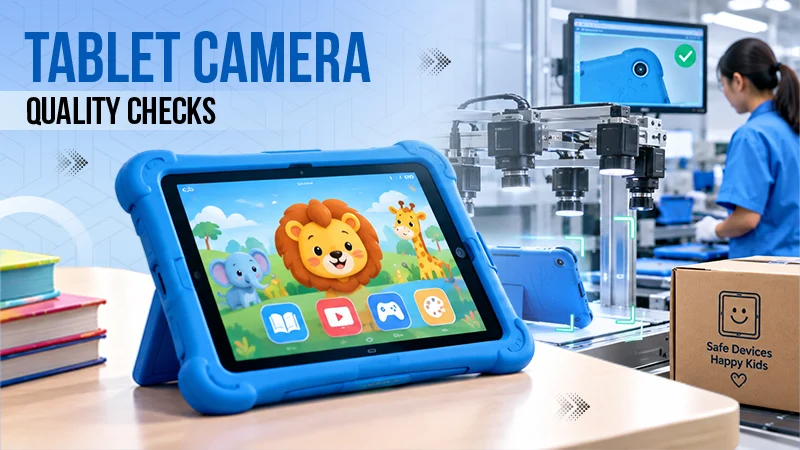
Sometimes when you think of buying your child a tablet and later unbox it, you start wondering how much screen time is reasonable, which app should be allowed, and how to set parental controls before handing it over. There are very few parents who wonder about the factory where that device was made. The tablet actually passed through a lot of stages during production.
Modern electronics are now produced in high quantities, using parts far too small for people to check reliably by eye. So manufacturers rely on automated inspection. A machine vision camera captures images of circuit boards, screens and housings, and software decides in a fraction of a second whether each item meets its specifications. This is one of the reasons today’s devices are as reliable as they are, and understanding it can help you know what to look out for when a new gadget arrives at home.
A tablet is not made in one go. It begins as a bare circuit board, which receives hundreds of tiny electronic components. Separately, the display, battery, camera modules, and outer casing are produced, usually by different suppliers. Everything comes together in the final assembly, after which the device is tested, packed, and labeled for shipping.
Each of these steps is an opportunity for something to go wrong, which is exactly why checking is built in along the way instead of only at the end. Catching a problem early is cheaper for the manufacturer and far better for the family who actually buys the device.
Manufacturers do not often advertise their inspection steps, but they are an important part of how a device is made. These are some of the areas where cameras often play a role.
All of this happens quickly and quietly, often without a person needing to handle each unit. The result is that most faults are caught and removed before a device is ever boxed.
Human inspectors are good at spotting unusual issues, but they get tired, and repetitive checking is hard to do repeatedly for hours. Cameras do not lose focus at the end of a shift. They apply the same standard to the first unit of the day and the ten-thousandth.
There is also an advantage that matters to families after purchase. Automated systems can store images and results linked to batch or serial numbers. If an issue is discovered later, manufacturers can often work out which devices are affected, which helps make recalls and repairs more specific.
Automated inspection minimizes the chance of a faulty device, but no process is perfect. A few simple habits help you get the most out of a new tablet and help you keep your child safe.
Check the tablet carefully when it arrives. Look at the screen on a plain white and a plain dark background, test the buttons and charging port, and check the casing for cracks. Use the charger supplied with the tablet or a reputable certified alternative, and stop using any device whose battery is swollen or that becomes unusually hot. Registering the product with the manufacturer can make it simpler to be contacted if there is a safety notice, and in the United States you can search for product details on the Consumer Product Safety Commission website at cpsc.gov.
Once the hardware checks out, move on to the software side. Set up parental controls, content filters, and screen time limits before your child begins using the device, and revisit them as your child grows.
No. It greatly reduces the number of manufacturing defects that reach customers, but it cannot guarantee a device will never develop a problem. Careful use, proper charging, and attention to recalls are still important.
The core manufacturing checks are generally similar to those for any tablet. Devices marketed to children may also need to meet extra safety requirements, which vary by country and product type.
Contact the retailer or manufacturer as soon as possible, ideally within the return window. Take photos of the issue, keep the packaging, and avoid attempting any repairs yourself.