AI is not inherently dangerous, but it can become risky in use if critical thinking is relaxed.


“By far, the greatest danger of Artificial Intelligence is that people conclude too early that they understand it.” — Eliezer Yudkowsky (Computer Scientist & Researcher)
At the moment, most of the world is using AI without knowing its working, even the kids. And they’re generally the most vulnerable part of the population.
Consequently, many parents experience a significant awareness gap regarding how their children deploy these technologies in daily life. How are they using the shiny new tech in their daily lives? A Pew survey of 1,458 American teens aged 13-17 and their parents found a big gap between what parents believe their children are using AI like and what the teens are actually doing.
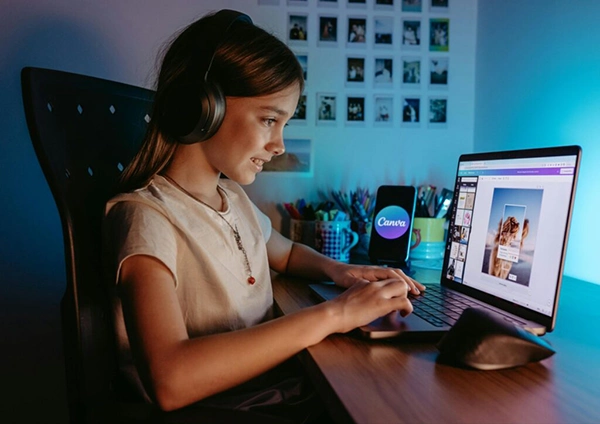
Yes, many kids use AI to express their creativity using an AI image generation tool or an AI Music Generator. But you can’t expect kids to use these systems safely and responsibly on their own.
In this guide, I’ll teach you to teach your kids to use AI creative tools in a safe and responsible manner. The following sections discuss how these AI tools work, why parents should be concerned, common tools kids use, digital safety risks, setting ethical, healthy boundaries, and balancing their creativity with safety.
KEY TAKEAWAYS
- Try to balance your kids’ creativity with online safety while they use AI tools.
- Understand how GenAI works, so you are aware of all the associated safety risks.
- Some common tools kids use these days are: ChatGPT, Canva, and Runway.
- Push them to use kid-focused platforms.Set healthy usage boundaries.
- Include the AI use time in the daily digital quota as well.
AI creative tools use machine learning, specifically deep neural networks, to learn the underlying patterns. As a result, they gain the ability to generate, alter, or assist in creating content.
Unlike traditional rule-based systems, these AI tools analyze massive datasets of human work and gain the ability to generate human-like text, audio, images, and video.
AI-generated work can make you feel that AI is sentient, but it doesn’t “think” or “feel” like we do.
Today, we’re surrounded by AI and synthetic content. Obviously, our children are being shaped by it in terms of how they learn, socialize, and view the world.
One of the biggest concerns of AI is its hallucinations. For children, it can blur the lines between fact and fiction. AI can unintentionally expose children to misinformation, bias, or inappropriate content.
It’s also seen that relying heavily on AI can degrade our critical thinking abilities. Children who have access to AI from childhood might not even develop critical thinking.
As the previous generation of kids was digital-native, today’s kids can be called AI-native. AI is so heavily ingrained in their growing environment that it feels as natural as smartphones were to the previous generation. As a result, they use these tools as creative assistants rather than shortcuts.
Here are the popular GenAI tools used by kids for specific purposes:
The exciting potential of AI creative tools comes with some real digital risks as well. There are four major ones currently:
First, you should treat AI as a co-pilot instead of a replacement, and then teach your kids the same.
AI, being quite addictive, requires you to set some time limits on usage for kids. Teach your kid to see it as a calculator. You can surely use it, but you must also know the core skills required in the work that you’re using it for.
Ensure your kid doesn’t share any private info with the AI chatbots. And develop a code system in case any of you receive deepfake calls or requests.
Teach them to question AI output for factual correctness or biases and stereotypes. Ensure AI is augmenting their work instead of killing their creativity.
Setting healthy boundaries keeps your children safe without stifling their creativity either.
Here are some top kid GenAI tools:
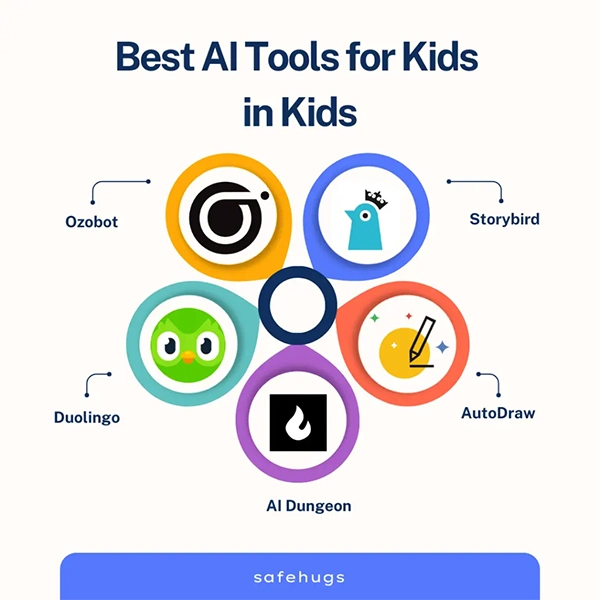
To keep a balance between creativity and the online safety of your young creator, ensure:
AI solutions are too powerful tools for a kid. Hence, parental guidance becomes necessary for kids using these tools.
Essentially, set some rules, teach your kids to question things they see, and treat AI as a partner instead of an effort substitute.
Here is to empowering our children to maneuver the AI future competently!
AI is not inherently dangerous, but it can become risky in use if critical thinking is relaxed.
Tell them about data privacy and not to share any personal information with the AI chatbots.
The 5 pillars of responsible AI are: Fairness, Transparency, Accountability, Privacy, and Reliability/Safety.