With the upcoming advancements in AI and technology, multiple platforms feel 100% different from each other, even to the point that you will be surprised to know that the platform you’re using is actually AI.
One such platform is AI chat, which has increasingly become popular due to its ability to carry human-like conversations. These companion apps use features like audio enabling, visual characters, and even roleplay to make the entire experience immersive.
Although most of the features are identical, some features might be added or removed from different companion sites. There are even dedicated guides like Intimeros AI Companions Guide, which observe and document how conversation flow, memory, and privacy work in such sites to grow site traffic and ensure customer satisfaction.
Quick Answer
Before deciding whether an app is safe for their child to use, parents should always double-check the site’s age requirements, privacy settings, and social features as a priority.
At a Glance
What Is an AI Companion App?
Why Do AI Companion Apps Appeal to Young Users?
Pay Attention to Age Requirements
AI Can Sound More Human Than It Is
Check What the App Remembers
Look at the Rest of the App Too
Talk About How the App Is Being Used
Keep AI Companions in Perspective
What Is an AI Companion App?
An AI companion app is an immersive experience-based app designed to hold human-like interactions with its users through multiple options of virtual characters. These characters are based on the user’s preferences, and so instead of only using such apps in times of need, like to ask a question, users can use this app simply because they enjoy talking to a character.
Some companions are based on original personalities, while others are designed around fictional characters or user-created profiles. Roleplay is also common. The AI responds to what the user types and may use previous conversation details to make later chats feel connected.
This type of AI uses experience as the prime factor to bring users back to the app and to attract new users by targeting their loneliness or lack of people to talk to, rather than the informational trap used by educational AIs, which helps bring people on the app who need an answer to a specific question. Though these platforms differ in the way that they are used, their technology and configuration remain the same.
Why Do AI Companions Appeal to Younger Users?
Part of the appeal is simple curiosity. Talking to a fictional character that answers back can feel more interactive than watching a video or scrolling through a social feed.
Moreover, having control over the flow of the entire conversation is paired with choosing fictional characters according to your preferences and enabling roleplay mode, is what draws most of the young audience in the app. The discovery of such platforms has various sources; it can occur through gaming portals like Discord, social media apps, or even in dedicated fandom communities.
Pay Attention to Age Requirements
Parents should check the minimum age listed by the service rather than assuming every AI chatbot is suitable for teenagers.
The app store is available to all, but it doesn’t necessarily mean that everything available to download on it is also safe to use for all age groups. Parents should always check each and every platform their child is using, with special attention to the age requirements of that app. Since users in such apps can also create their own characters, a wide range of conversations can be unlocked which might not be appropriate for teenagers, so checking the terms for moderation of content generated by a user is also a must.
A good first step is to check the platform’s terms and any parental controls before allowing regular use. Parents can also try the app themselves to see how conversations work in practice.
AI Can Sound More Human Than It Is
AI companion apps like these might personally appeal to a young user since the bot adjusts the tone of their messages according to the user’s flow of conversation. This often leads to an unhealthy addiction to the app by the young user since they fail to understand that the messages are generated by software after analysis instead of a human who has real emotions.
UNICEF has examined how children and young people increasingly use AI chatbots for information, advice, support, and sometimes relationships. Its 2026 policy brief says conversational and relationship-style AI can create distinct and heightened risks for children and calls for stronger safeguards, accountability, and oversight.
Check What the App Remembers
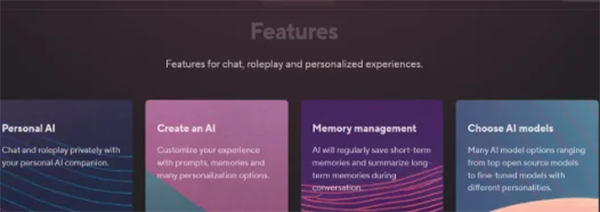
Memory is one of the few features that make one companion app distinct from the other. AI chat apps with simple configuration make it hard to remember every bit of the conversation, and hence the user has to remind the character of the same thing over and over again after certain time durations. However, memory is automatically stored in more advanced apps, making the experience more fun for the user.
Memory can make conversations more convenient, but parents and teens should check whether stored information can be reviewed or removed. Parents should also check how chat histories are stored and whether conversation data may be used to improve the service.
While several companion apps can feel like a private conversation you’re a part of, they’re not. Every conversation you make is being entered into an online portal, so privacy is definitely at stake when using such apps.
Look at the Rest of the App Too
The chatbot may be the main feature, but parents should also look at what surrounds it. Some services include character discovery pages or community areas where users can share what they create.
A private AI app where you only talk to characters is an entirely different thing from an app that provides space for social interaction. So before letting your child use an app, parents should confirm whether the app has social features like interaction with other users or creation of a new character.
Talk About How the App Is Being Used
Simply knowing that a teenager has an AI app installed does not explain much. One person may use it occasionally for roleplay, while another may spend much more time having personal conversations with the same character.
So it is recommended to have a normal, mature conversation with your child about how the app is being used by them instead of lecturing them, in which case, such activities start to happen in secrecy. So understanding them is a better path to go down rather than assuming or shutting your child out.
Keep AI Companions in Perspective
Parents do not need to judge every AI companion app in the same way. Age requirements, privacy controls, memory, content moderation, social features, and how a child actually uses the service provide a better basis for deciding whether a particular app is appropriate.
FAQs
Do all AI apps work the same?
No, AI apps used for different purposes work very differently. For example, even though the technology used is the same, educational AI apps are used for answering academic questions while AI companion apps are used to have conversations with virtual characters.
Why is it important to check age requirements for companion apps?
In most cases, companion apps allow the feature for character creation by the user, which can open a wide range of conversation which might not be appropriate for a teenager. So instead of assuming such apps are safe because they are available on the Play Store, every parent should check the age requirements.
Why do some users get addicted to these platforms?
AI platforms that allow features like roleplay and virtual characters can become addictive for a young user, as these softwares understand the tone of the user and replies in a way that feels satisfactory and personal to the user. Thus, most users tend to believe it is a real human with whom the conversation is happening and hence become addicted.
How is the user’s privacy maintained while using such apps?
While most users think of these apps as private, that’s far from the truth because all the conversations that are made on this app enter an internet portal where it’s stored. So the best approach to check the privacy of your particularly used app reading it’s privacy contract is the best approach.