The platform supports commercial creative use, with specific plans offering benefits for watermark handling, privacy, and advanced usage. However, human review is still necessary for brand-related visuals.

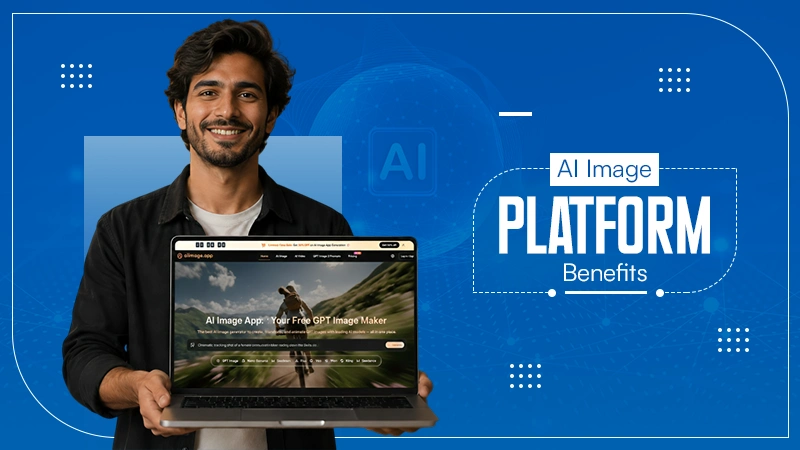
A platform like AI Image Maker is not just about whether the demo image looked awesome, but was useful for day-to-day creativity. When I was deciding which tool would be best for me, I asked myself which platform would be the most practical to work with. For example:
Initially, I thought that image quality would be the most significant factor in deciding which tool was the “best” for daily work with AI-generated images. However, after completing the test, I realized that image quality was only one of many factors.
Now read more and balance across quality, speed, and interface clarity.
KEY TAKEAWAYS
- A platform’s value is defined by its performance over multiple prompts and revisions, not just its best gallery examples.
- Consolidating text-to-image, image-to-image, and video creative entry points into one tool reduces the “switching cost” that kills productivity.
- Despite AI advancements, manual inspection remains mandatory for details like faces, hands, and brand-sensitive logos before public use.
The wrong way to choose an AI image platform is to compare only the best gallery examples. Gallery images show what is possible, not what is repeatable. A working creator needs to know what happens after five prompts, after a failed result, after a reference image upload, and after the first version looks almost right but not quite.
That is why I scored all platforms using five real-life dimensions. Image quality (sharpness, structure, visual appeal, and whether or not the image met the prompt) was based on its image quality. Loading speed for iteration (the speed of loading will vary by device), ads that distract my attention when reviewing the image.
And ongoing site activity to determine if there has been any recent activity, and how clean/organized the interface was (whether or not I was able to use the tool to help with reviewing and/or creating an image).
AIImage.app did not earn 100% through all categories. That wouldn’t seem realistic but also wouldn’t accurately reflect the use of those tools. However, it did receive high enough ratings in all categories to be deemed the best overall option for all types of platforms.
Midjourney had some of the strongest individual images, especially for stylized work. Adobe Firefly felt controlled and familiar for design-minded users. Canva AI had clear value for quick social media visuals. Leonardo AI remained strong for creative exploration. Ideogram and Playground AI both had useful roles for specific types of experimentation.
A single great image can hide a weak workflow. If it takes too much effort to repeat, revise, or compare, the platform becomes less useful for real projects.
Switching between different tools used to create images typically feels harmless until it gets involved in every project created by yourself or those working for you.
Using different tools; one for creating images, one for modifying an existing image, another for reference-based changes, and one for video-based changes results in a simple creative task being an extremely scattered process.
AIImage.app gave the user fewer feelings of being scattered by keeping multiple creative paths inside one platform compared to other options.
| Rank | Platform | Image Quality | Loading Speed | Ad Distraction | Update Activity | Interface Cleanliness | Overall Score |
| 1 | AIImage.app | 9.0 | 8.8 | 9.0 | 8.8 | 9.2 | 9.0 |
| 2 | Midjourney | 9.4 | 8.0 | 8.7 | 9.1 | 7.8 | 8.6 |
| 3 | Adobe Firefly | 8.7 | 8.6 | 9.1 | 8.8 | 8.8 | 8.6 |
| 4 | Leonardo AI | 8.9 | 8.1 | 8.4 | 8.8 | 8.1 | 8.5 |
| 5 | Canva AI | 8.0 | 8.9 | 8.5 | 8.4 | 8.9 | 8.3 |
| 6 | Ideogram | 8.4 | 8.3 | 8.4 | 8.5 | 8.2 | 8.3 |
| 7 | Playground AI | 8.1 | 8.2 | 8.0 | 8.1 | 8.1 | 8.1 |
Because AIImage.app consistently delivered a positive experience throughout the entire process of choosing what image to use. Its positive delivery via the entire process of selecting what image was created, and by consistently delivering solid image quality.
This platform was rated as being the most reliable through the entire process of making a decision regarding which image to use.
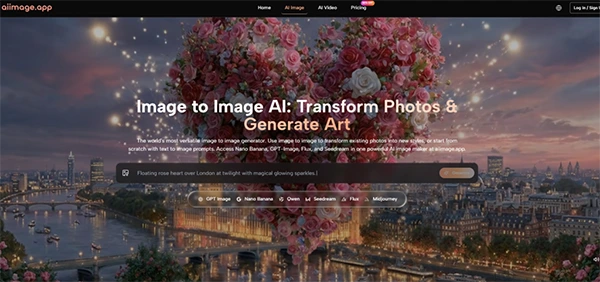
The image quality felt strong enough for varied creative tasks, especially when prompts described subject, scene, style, composition, lighting, color, and use case. The platform’s support for uploaded image transformation also made it more useful when I did not want to start from nothing.
Loading speed felt competitive enough to support iteration. I would not claim it eliminates waiting, because cloud-based generation always involves some waiting. But the workflow did not make each new attempt feel unusually heavy.
An important element in the rankings was how clean a platform was and whether or not ad distractions were present. Good tools can be visually stimulating but can wear you out mentally. Because the visuals generated with the AIImage.app were calm, I found it easy to be patient while comparing my results with user-generated visuals. Having that level of calmness is important, especially when I’m inspecting small details.
Update activity is harder to judge from casual testing, so I treated it conservatively. AIImage.app presents multiple AI image and video models and an active creative platform structure, which suggests a platform built around ongoing model access rather than one fixed generator.
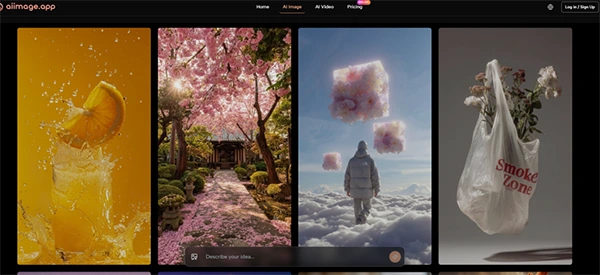
AIImage.app felt most useful when I treated it as a decision platform rather than a single-output generator. I could try one direction from text, adjust the prompt, use a reference image when needed, and think about whether the image should become part of a broader visual content workflow.
Marketing images can be created using this platform because the user describes the purpose of the final image (i.e. what type of image they want) as well as what style they want (clean background, soft lighting, color palette) and how they intend to use the image (i.e. social media, e-commerce, etc.). While the descriptions do not guarantee a perfect result, they do provide clarity of intent to the system.
For personal projects or concept designs, the image-to-image process described above was very appealing. By using a reference image and requesting it to be transformed, styled differently, or regenerated completely, I feel like I’m less randomly creating something.
For educational or explanatory content, the cleaner interface helped. I could focus on whether the image communicated the idea, rather than being distracted by unnecessary page noise. That is a quiet advantage, but it affects real productivity.
The workflow for using the platform is made up of four steps. I recommend you keep this in mind and keep the process simple since a lot of what makes this platform valuable is that it reduces the need to switch between tools.
Decide whether the work begins as image generation, image editing, image transformation, or a video-related visual path. This choice gives the project a clearer starting point.
Describe your subject matter, scene, style, composition, lighting, colors, the end use-case for how you will use the image, or any other reference that will help provide context for the visual you want to create (upload a reference image if you are transforming or regenerating an existing visual).
Use an available AI image or video model option when it helps the task. Model choice can be tested through output comparison rather than treated as a fixed rule.
Generate your image, review the details and compare it to previous versions, download images you can use or keep refining.
It’s when you hit the review stage that you start to see how balanced platforms are capable of providing added value.
AIImage.app is strongest for users who want a balanced creative environment. It fits marketers, social media creators, ecommerce sellers, educators, personal creators, and small teams that want to move between generation, revision, and broader visual content creation.
For users looking for artistic ambiance and a specific stylistic output, Midjourney is the best fit. For creators seeking a more unique artistic environment with advanced features and options, Leonardo AI may be suitable.
Adobe Firefly is ideal for design-focused users that want control over the creation process. When the generated image will be incorporated into an existing layout or be part of a social media post in a ready-made format, Canva AI works perfectly.
While Ideogram can assist in creating certain types of visual experiments based on a written description of the desired image, it will likely be appreciated by those who use the application for casual, free, experimental testing.
AIImage.app ranked first because it did not feel trapped in one use case. It was not the most dramatic in every individual round, but it felt easier to keep using across different creative jobs.
AIImage.app still requires human judgment. Users should inspect image details carefully, especially faces, hands, products, logos, text-like elements, shadows, and brand-related visuals. A generated image can look polished while still being unsuitable for public use.
Many users will want to know about converting still photos into videos; however, users should not assume that any still image will work as a motion asset. The function of still images vs. the function of moving images create different expectations for each.
The official site presents some plans as suitable for commercial creative use and mentions plan-related benefits around areas such as watermark handling, privacy, and advanced usage. That is helpful, but commercial teams should still check plan details and review outputs before using them in campaigns.
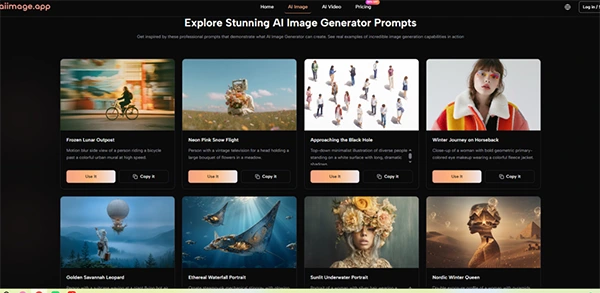
The ideal user for AIImage.app is a frequent content creator who needs a balance between quick creation (i.e., social media posts) versus longer-term vision (i.e., product shots, new to current brand aesthetics, creating video-related content). The AIImage.app meets this need well.
The weakest fit is someone who only wants one very specific artistic style and already has a favorite platform for that style. In that case, AIImage.app may be useful, but not necessarily the only tool needed.
After comparing these tools, I would not tell a creator to choose based only on the single best image they see online. I would suggest testing the whole loop: prompt, generate, inspect, revise, compare, and repeat.
AIImage.app made the greatest impression on me for all of the above reasons. The user interface was clean enough that I could navigate through the application without any distractions.
The quality of the images created was strong enough to use in both print and web media, image-to-image transfers worked well enough for me to create multiple visual styles from the same photograph, and the variety of model types available was broad enough that there was minimal visual chaos.
It was not perfect, and some competitors remain stronger for specific creative tastes. But as a balanced AI image platform for repeated decision-making, it felt like the most reliable first choice.
The platform supports commercial creative use, with specific plans offering benefits for watermark handling, privacy, and advanced usage. However, human review is still necessary for brand-related visuals.
Uploading a reference image for transformation or style changes makes creative development feel less random and gives the user an “anchor” for more predictable results.
The platform is designed to be free of creative interruptions, scoring a 9.0 in ad distraction, which allows users to focus on small details during inspection.
It is best suited for marketers, e-commerce sellers, and educators who need to move quickly between generating new visuals and revising existing ones in a calm, structured environment.