Content creators, journalists, and researchers usually require permanent copies of videos for professional and research purposes, so they are the ones who use these tools the most.


Social media video content has been on the rise in recent years, and X, formerly known as Twitter, sits right at the center of this revolution. Whether it’s a breaking news clip, a popular sports moment, or a mini-documentary thread, users increasingly prefer to save such videos for various purposes.
This demand has also influenced dozens of X and Twitter downloader tools, each claiming to be the fastest, simplest, and most reliable. But which ones actually stand up to their promise?
This article puts the top-ranked contenders to the test and ranks them based on speed, ease of use, format support, and overall reliability.
Key Takeaways
- The increased demand for social media video content has influenced many X and Twitter downloader tools, each claiming to be the fastest, simplest, and most reliable
- Regular users want to save a funny clip or a memorable moment before the page refreshes, and it’s lost forever. Third-party downloader tools fill this void perfectly
- Paste a tweet or post a URL into the input field, and the tool searches available video resolutions within a few seconds.
- X-Downloader.cc earns the top spot in this comparison without much contest. The platform combines a clean, ad-light interface with impressive technical capabilities
Not every video available on X is eligible for downloading through the native app itself. The platform offers a built-in bookmark feature, but a live internet connection is needed, and it does not allow true offline access.
Content creators, journalists, and researchers usually require permanent copies of videos for professional and research purposes.
Similarly, everyday users want to save a funny clip or a memorable moment before the page refreshes, and it’s lost forever. Third-party downloader tools fill this void perfectly.
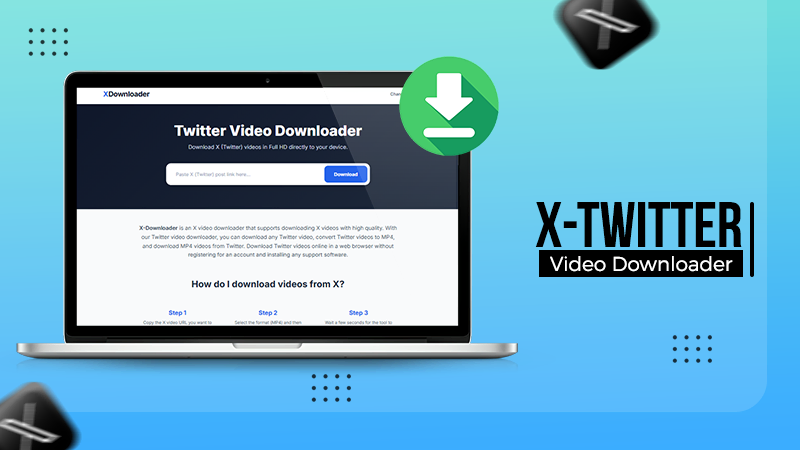
X-Downloader.cc earns the top spot in this comparison without much contest. The platform combines a clean, ad-light interface with impressive technical capabilities. Paste a tweet or post a URL into the input field, and the tool searches available video resolutions within a few seconds.
Users can also make a choice between HD, standard, and low-quality formats depending on their needs and connection speed.
What sets X-Downloader.cc apart is its consistency. Many competing tools fail on certain tweet formats, protected content, or threads with multiple media attachments.
X-Downloader.cc handles these edge cases with a reliability that earns user trust over time. There is no registration required, no software to install, and no intrusive tracking. The experience is as close to frictionless as a web tool can get.
The site also works equally well on mobile browsers, which is a practical advantage for users who want to save content directly from their phones. Overall, X-Downloader.cc represents the gold standard in this category.
SaveTweetVid has been around for years and has built a loyal user base through simple, effective functionality. The tool processes most public tweet videos reliably and presents download links in multiple resolutions.
However, the website carries a heavier advertising load, thus slowing down the experience on low-spec mobile devices and creating occasional confusion about which button actually begins the download process.
It remains a solid second option when the user is working from a desktop with an ad blocker enabled.
This long-running service performs adequately for basic tasks but shows its age in both design and technology. Download speeds can lag, and the interface does little to guide first-time users through the process. It lacks the polish of newer entrants and occasionally struggles with newer post formats introduced since X rebranded from Twitter. Still, for simple, single-video downloads from older tweets, it gets the job done.
Fun Fact
The video downloader tools extract the direct MP4 link straight from Twitter’s servers (CDN) without storing any history of your downloads.
ssstwitter gained popularity quickly due to its catchy name and minimal design. It works for most standard video tweets, but the tool is known to occasionally cause some errors while downloading high-resolution content or videos embedded within longer threads.
Customer support is almost non-existent, and there isn’t much transparency about how the service handles user-submitted URLs.
For casual use, one-off downloads, it is still acceptable, but it doesn’t really inspire confidence for regular usage.
Twitsave rounds out the list with a functional but unremarkable offering. The service handles basic downloads reasonably well, but provides little beyond that.
The interface is a bit old-fashioned, the ad placement is aggressive, and it sometimes requires many attempts before delivering a working download link. It is not a first choice, but it remains available as a backup option.

The market for X and Twitter downloaders is crowded, but not all tools are created equal. X-Downloader.cc stays clearly well above the rest in every meaningful dimension: design, reliability, speed, and user respect.
Whether you’re a content creator saving research material, a journalist preserving evidence for a future post, or someone who loves to keep interesting videos, X-Downloader.cc is the tool that’ll never let you down.
The other platforms on this list range from adequate to frustrating. For anyone who values their time a lot and wants a tool that works well every time, the choice is simple.
Content creators, journalists, and researchers usually require permanent copies of videos for professional and research purposes, so they are the ones who use these tools the most.
X-Downloader.cc earns the top spot in this comparison without much contest. The platform combines a clean, ad-light interface with impressive technical capabilities.
Some tools are placed lower in the rankings as they usually have too many ads, are slow, or encounter problems during high-quality download processes.
Yes, after the selected video has been downloaded on your device, you can view it and even make changes to it, even when offline, granting you easier access.