It analyzes the final frames of a clip—including subject motion, lighting, and camera movement—and generates new frames that plausibly continue the scene without reshooting.

Many influencers and creators have found issues in making videos. They have great clips, but these are very short and end too soon. They want a proper clip that shows their content effectively. So here is an AI video extender that can enhance your video according to your requirements and can make extra clips for you.
By using AI to generate additional clips that continue your previous clips naturally, these tools make sure that it can stretch short videos without reshooting anything.
If you’ve questions like whether this performs better for social media or is worth using, you can go through the article for all your questions.
An AI video extender analyzes the final moments of a clip, including the subject, the motion, the lighting, and the camera movement, and then predicts what would be believable next. It generates new frames that continue from the original ending, so the video runs longer while still feeling like one continuous shot.
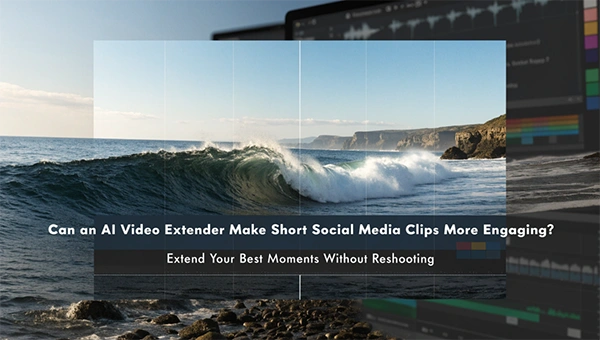
Think of it as autocomplete for video. Where a text tool finishes your sentence, a video extender finishes your scene. A wave keeps rolling toward the shore, a character keeps walking down the street, or a slow camera push continues into the scene.
Different tools handle the process in different ways. Some let you choose how many extra seconds to add, some accept a text prompt describing what should happen next, and some work from a single still image as well as from existing footage. What they share is the goal of saving you from going back out and filming more.
There is no universal ideal length for social video. Short, punchy clips often win on fast-scrolling feeds, while slightly longer content can hold attention when the story is strong. What matters most is whether a clip fits its purpose. A few situations show where extra length genuinely helps:
The key point is that length should serve the content. Padding a weak clip rarely makes it more engaging. Extending a strong one that was cut off too early often does.
Some kinds of content are especially well suited to this approach.
If you want to try the technology, a dedicated AI video extender can be a convenient way to lengthen a clip without returning to the camera. The tool matters less than the way you use it, so a few habits are worth building.
A longer clip is only more engaging if the extra time earns its place. A few editing choices help.
Start strong. The first second still decides whether people keep watching, so lead with the most compelling visual and use the added time to develop it rather than to delay it.
Use sound to your advantage. Music, ambient audio, or a voiceover can carry a longer clip and mask minor visual imperfections. A well-matched soundtrack often makes extended footage feel more cohesive.
Add light structure. Even a simple caption, a title card, or a call to action can give extra seconds a purpose. Viewers stay longer when they feel the video is going somewhere.
Test what works. Post a short version and an extended version of similar content, then compare retention and engagement. Your own audience data is more reliable than any general rule.
AI extension is not magic, and it helps to be realistic. The further the tool has to predict beyond your original footage, the more likely it is to introduce oddities. Faces and hands may shift subtly. Fine details can blur or change. Complex action, rapid movement, and scenes with a lot of text are harder to continue convincingly. Audio also usually has to be handled separately, since the new footage may not come with matching sound.
Because of this, extended clips often work best as one ingredient in a larger edit rather than as a standalone masterpiece. Cutting away to another shot, overlaying text, or adding a transition can hide any rough spots and keep the pacing tight.
Like other generative tools, video extension comes with responsibilities. Use only footage you own or have permission to modify, and respect the rights of anyone who appears in your clips. Be careful with content that could mislead viewers, particularly when it involves real people or news-style imagery. Follow each platform’s rules about AI-generated or altered media, and consider being transparent with your audience when it makes sense. Authenticity builds long-term trust, and that matters more than any single clip.
The fair answer is: it can, when it is used with purpose. An AI video extender does not guarantee better engagement on its own, because engagement depends on the quality of the idea, the strength of the opening, the pacing, and the sound. What the technology does offer is flexibility. It rescues good clips that ended too early, gives editors room to work, and saves the time and expense of reshooting.
For creators and small teams producing content at speed, that flexibility is valuable. Treat the tool as a way to fine-tune pacing rather than a shortcut to attention, test the results with your own audience, and keep your focus on telling something worth watching. Do that, and a few extra seconds can make a real difference.
It analyzes the final frames of a clip—including subject motion, lighting, and camera movement—and generates new frames that plausibly continue the scene without reshooting.
No. Extra length only improves engagement when it adds useful context, leaves room for text or voiceover, or creates a smoother loop—not when it pads out a weak clip.
Clips with predictable, gentle motion and clean endings work best, such as atmospheric B-roll, slow product reveals, title backdrops, and animated stills.