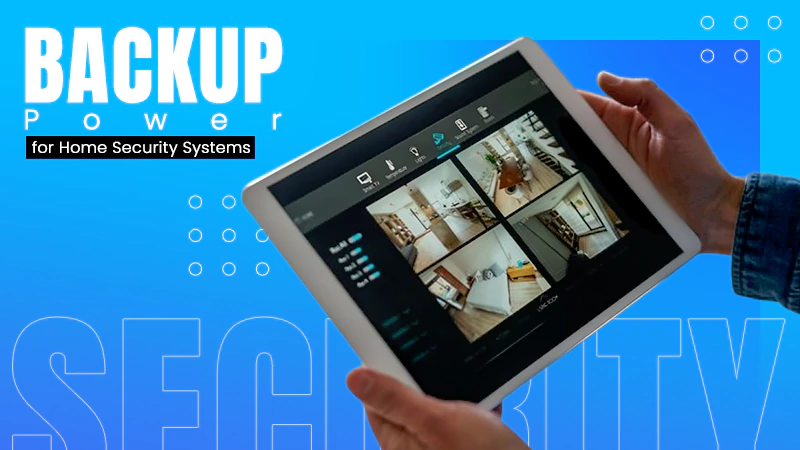
A power outage is something that causes more damage than expected. In current era, everything around a house works on electricity, be it your router, cameras or simply the refrigerator.
As a result, even a slight power cut can cause your entire house to shut down completely.
That can make a routine interruption more disruptive and can reduce visibility into what is happening at home.
This is exactly why you need backup power. Read further to learn more!
What Happens to Home Security When the Grid Goes Down?
When grid electricity fails, home security can be affected through several connected points. A wired CCTV camera may stop recording if its power supply fails, while a smart lock or alarm hub may lose functionality if it lacks sufficient battery support. Network-connected devices can face another problem: even when a device has its own internal battery, it may still depend on a powered router, ONT, or Wi-Fi access point to communicate with cloud services or a homeowner’s phone.
The effect also depends on whether a system function locally or relies on an external connection. A camera with local storage may continue recording when internet service is unavailable, while remote viewing may no longer work. Similarly, a security system may continue sounding an alarm but lose some app-based features. Backup power therefore needs to protect the critical equipment that supports the entire security chain, rather than focusing on one device alone.
Why Internet and Communication Need Backup Power
Internet connectivity during an outage depends on more than a router. A typical home network may include a router, ONT, modem where applicable, Wi-Fi access points, switches, and other powered devices. If any essential component loses power, local connectivity or internet access may be disrupted. Keeping these devices running can help preserve communication, remote access, smart-home controls, and other online services, although backup power cannot guarantee internet service if the provider’s upstream infrastructure is also affected.
Mobile charging is another important factor. During an extended outage, a charged phone can support emergency communication, receive outage updates, provide hotspot connectivity, and operate security or smart-home applications. For this reason, backup planning should identify the home’s genuinely critical low-power loads rather than treating every electrical device as equally essential. A small, properly sized backup system can keep essential networking and communication equipment accessible while avoiding unnecessary energy consumption and preserving available battery capacity for longer interruptions.
Which Home Security and Online Safety Devices Need Backup Power?
Not every home device needs the same level of backup protection, so homeowners should first identify essential loads. CCTV cameras are important because losing power can stop live monitoring or recording. If cameras depend on a network video recorder or NAS device, those systems may also need backup power to retain local footage and network access. Alarm systems can also be essential, particularly when they support intrusion detection, sensors, or emergency notifications.
Smart locks and video doorbells deserve consideration as well. A wired smart lock may depend on household electricity, while battery-powered models can continue operating but may still need a functioning network for connected features. Video doorbells can face similar limitations when routers or other network equipment power down. Mobile phones should also be considered because they provide communication, emergency information, hotspot access, and management of connected home systems. Prioritizing these low-power devices can make limited backup capacity useful.
Equipment Compatibility: What Is Voltage and Why Does It Matter?
Backup capacity alone does not determine whether a system is suitable. Before connecting routers, cameras, or backup devices, homeowners should understand what is voltage and why equipment must receive the correct electrical input. The wrong voltage can cause equipment to malfunction and may damage sensitive electronics.
Before selecting a backup system, check the manufacturer’s specifications for voltage, wattage, current, AC or DC input, connector type, and adapter requirements. The backup system must provide compatible electrical output, not simply adequate battery capacity.
For installers and energy brands, matching backup equipment to the actual electrical characteristics of routers, cameras, networking devices, and other critical loads is important. Proper compatibility helps maintain reliable operation and minimizes the risk of equipment problems during an outage.
Small UPS vs Portable Power Station vs Fixed Home Battery
The right backup system depends on the critical load, expected outage duration, and desired level of automation. A small UPS is suitable for routers, ONTs, NAS devices, and other sensitive electronics that need immediate short-term protection. Its automatic switchover can keep essential equipment running with minimal effort, but its limited battery capacity makes it less suitable for extended outages or multiple devices.
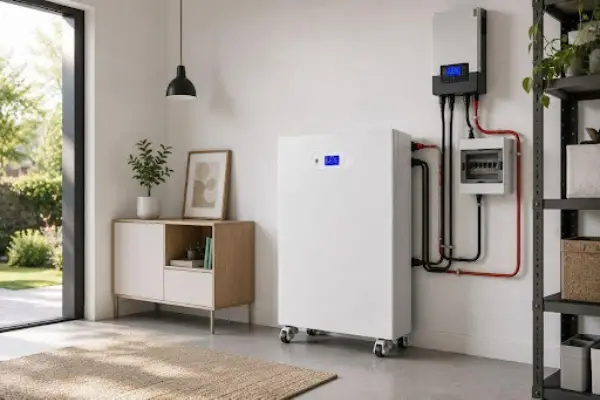
Portable power stations offer greater flexibility for several low-power devices, phone charging, and temporary blackouts. They can be moved when needed, although users may need to connect equipment manually and check available capacity. Fixed home battery systems provide larger storage capacity and can support selected household circuits automatically when properly mounted. They can also integrate with solar generation for longer backup durations. Energy brands such as Avepower can support this storage approach by considering battery capacity alongside actual household loads and operating needs.
How to Calculate Backup Load and Runtime
Backup planning begins by identifying the wattage of each critical device. For example, a router using 10 W, an ONT using 8 W, CCTV equipment using 20 W, a NAS using 25 W, and phone charging using 10 W create a combined load of 73 W.
A simple calculation is:
Estimated Runtime ≈ Usable Battery Energy (Wh) ÷ Total Load (W)
A battery with 730 Wh of usable energy could theoretically support a 73 W load for about 10 hours. Actual runtime will usually be lower because of conversion losses, standby consumption, battery condition, temperature, and varying device demand. Separating essential loads from nonessential equipment can also help conserve battery capacity for longer outages.
How Solar Charging Can Extend Backup Periods
Battery storage provides stored energy, while solar generation can restock that energy when sunlight is available. Solar-plus-battery systems can therefore extend backup periods by helping offset daytime consumption and resetting some stored energy for later use.
However, solar charging does not ensure continuous backup. Performance depends on solar output, weather, panel capacity, battery size, system efficiency, and household usage. Nighttime consumption must also be considered because solar generation stops after dark. A properly designed system should balance critical loads, battery capacity, and expected solar generation rather than considering panels can power every device indefinitely.
How to Choose the Right Backup Power Architecture
Choosing a backup system should begin with the devices that must remain functional and the expected outage duration. A small UPS can be appropriate for a router, ONT, or other low-power equipment during short outages. A portable power station offers greater flexibility when several devices need temporary assistance, including mobile charging.
For frequent or longer outages, a fixed home battery can provide more substantial capacity and may support selected critical circuits simply. When longer resilience is required, combining battery storage with solar generation can help restore energy during suitable conditions. The best architecture therefore depends on load, runtime, automation, installation requirements, and future energy demands rather than battery capacity alone.
What Installers and Energy Brands Should Consider
Installers, distributors, project developers, and OEM/ODM energy brands should approach residential backup as a system-design challenge rather than simply a battery-sizing task. The first step is identifying critical loads, measuring realistic power demand, and estimating how long those devices need to function. Equipment compatibility, inverter performance, battery capacity, automatic transfer capability, and solar integration should also be considered during system design.
Regional conditions can influence how homeowners approach energy security. For example, a household considering a solar battery Philippines solution may use stored energy to keep internet, security, and communication equipment running during grid interruptions. However, system performance will depend on local solar availability, household demand, battery capacity, and installation configuration. Clear expectations are important so customers understand what their backup system can realistically handle.
Conclusion
Home security and online safety increasingly depend on reliable electricity. When the grid fails, routers, ONTs, CCTV cameras, alarms, smart locks, video doorbells, NAS devices, and mobile phones may lose important functions without suitable backup power. Small UPS units, portable power stations, and fixed home batteries can meet different backup needs, while solar charging can extend resilience during longer outages.
The most effective approach is to identify critical devices, estimate realistic runtime requirements, and choose compatible backup equipment based on actual power demands. For installers and energy brands seeking dependable residential storage solutions, Avepower can be considered as part of a practical, load-focused backup strategy designed to help maintain essential connectivity, security, and digital services during unexpected power interruptions.
FAQs
Why does my home security system need backup power?
A home security system relies on electricity to operate cameras, alarm hubs, smart locks, routers, and other connected devices. Backup power helps keep these critical systems running during power outages, reducing interruptions to monitoring and communication.
What devices should be connected to backup power first?
The most important devices include routers, ONTs, CCTV cameras, alarm systems, smart locks, video doorbells, NAS devices, and mobile phone chargers. Prioritizing these low-power devices helps maximize available battery runtime.
Is a UPS or a portable power station better for home security?
A UPS is ideal for short outages because it automatically switches to battery power and protects sensitive networking equipment. A portable power station offers longer runtime and greater flexibility for powering multiple devices during extended outages.
How do I calculate how long backup power will last?
Estimate runtime by dividing the usable battery capacity (Wh) by the total power consumption (W) of your connected devices. Actual runtime may vary depending on battery efficiency, inverter losses, temperature, and changing power demand.
Can solar panels keep home security systems running during a power outage?
Solar panels can recharge compatible battery storage during daylight hours, extending backup power. However, performance depends on sunlight availability, battery capacity, household energy demand, and overall system design, so continuous operation cannot always be guaranteed.