Descript is great for editing by transcript; RunwayML is helpful for generative effects like inpainting and background removal; for quick social media clips from long recordings, OpusClip and many more .decide on your work needs.

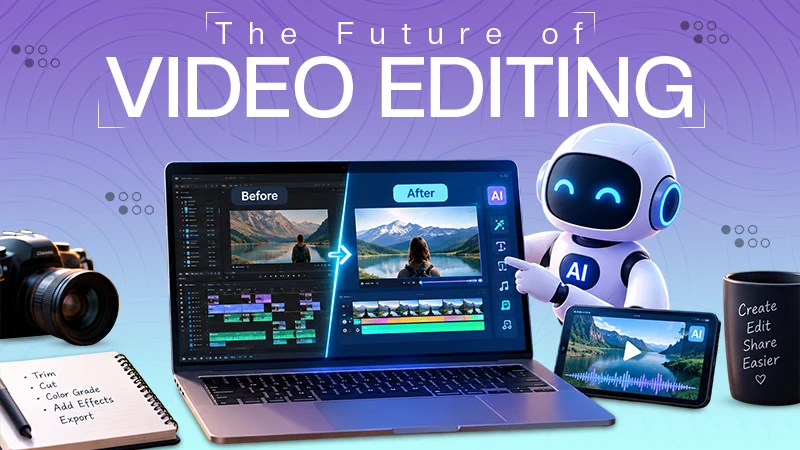
Video editing is the fusion of technical know-how, patience, and creative insight. A video can take longer to review and select the best clips, arrange the scenes, add the captions, adjust the audio, and finalize the format for a short video on social media. Many of these routine activities are readily handled as artificial intelligence gets more powerful.
However, none of this means giving your control and creative power to the AI and automating the entire editing process. AI editing should be used with caution and restriction. Using AI for mostly boring or uncreative work is probably how it should be used.
Let’s see how AI can be of help to us in editing videos in the best way.
The most challenging part of making a video is getting a bunch of footage to form into a first rough draft. Creators might have dozens of clips, and just a small part of each clip is useful.
The best way to get assistant form AI without it doing everything for you is to start by organizing content and specifically identifying important passages in the pile of content. Use normal language and explain the target audience and the goal of the editing, their desired speed, key events, and desired time; the AI can suggest a rough editing structure, and you can also ask for types of assistance like steps, guides, etc.
For creators who are using a ChatGPT video editing tool, automation is neither the point nor the goal of this, but to streamline the first step of structuring and drafting with AI, then humanize the results and fine-tune by yourself.
Using many editing software programs, you are going to need to know and learn where and how to find various tools and how to use various settings. AI helps you with the instructions and a new approach to engaging with creative tools: specifying the objective in natural human speech is a must.
Let’s say, for example, you want to make a short promotional video; you could input data regarding the topic, the duration, the style, and the footage, and then the AI can help you in a way that is specifically designed for you. Those instructions can be the basis for a workflow’s organization, with assistance from AI.
The method may be especially helpful to novice users. It helps to lower a few of the technical obstacles involved in launching a video venture, and enables customers to study and enhance their video editing talents.
The last thing is ot let AI do all the work with the editing. Good editing must be done by a person. The creator should be the one to decide if the clips they choose are suitable for the videos, if the flow seems natural, and if captions, music, transitions, and visual effects enhance the story all of this should be choose by the creator not an AI.
This editable method has gotten even more important to do in todays, AI assistyed video production. For instance, CapCut’s “CapCut × Codex” workflow enables users to view video footage, pick valuable moments, arrange clips, and create an initial draft edit to be further polished in CapCut.
There’s a difference because creative work is not often the task of getting something out the door as fast as you can. The human touch is needed for context, emotion, brand identification, and audience expectations.
AI video editing can be helpful in a variety of video formats. It can be used by social media creators to structure their short-form content and create various versions for different platforms. From demonstrations, interviews, or product footage, businesses can utilize AI to convert raw materials into structured content through workflows.
This can also be useful for creators making educational content to break up longer videos into shorter explanatory videos. Also, recording events or personal projects can make it easier by simply sorting through a huge set of footage and picking moments of interest that you might want to keep.
Recycling is also a great application that AI can provide. A longer video can have multiple sections of value, which can be taken out and created into shorter videos. AI tools can assist in picking the best parts and creating a sketchy outline for the creator to follow, and the creator makes the final decisions on the content that is decided and gets published.
AI video editing technology is getting better day by day; to make it successful, video is more than a technical process. Every video’s charm comes from the fact that i smad ebay a human being. The viewer’s response is controlled by the timing, emotion, sound, visuals, and storytelling something only a person can do best.
While AI is best for repetitive tasks and saves more time, creators should guarantee that they give precise instructions and review the content thoroughly. When it comes to facts, brand guidelines, copyrighted content, or sensitive information, it’s crucial to edit and review AI-generated edits.
The best strategy is a collaborative one, where the AI can take care of appropriate production tasks, while the creator retains control over the creative direction and ensures quality control.
In the future, video editing is differently goona det more advanced. Managing each function by yourself will become less common; creators will be able to use AI to create and design outlines and content at great speed, increasingly as well as utilizing AI to generate a basis.
But it is important to believe that the old-fashioned editing abilities will still be useful. By knowing what it is, how to pace it, how to sound it, how to tell a story, and what the audience wants, creators can tell when the AI-suggested idea or ideas are right and when they are wrong.
In conclusion, AI video editing can be considered a valuable tool in the creative arsenal, but should not replace creativity. Thoughtfully used, it can be used to reduce repetitive production work, make editing easier, and free up production time to work on the concepts behind a video.
Descript is great for editing by transcript; RunwayML is helpful for generative effects like inpainting and background removal; for quick social media clips from long recordings, OpusClip and many more .decide on your work needs.
Yes, it’s okay to use AI for video editing as long as you manage the AI and don’t end up using AI to make the entire video edit. Don’t use it for creative work.
AI videos can be commercially safe, but only when licensing, consent, disclosure, and human review are handled before launch.