AccessibilityChecker.com, WAVE, and the free version of Axe DevTools are all excellent places to begin. Each can identify common accessibility issues quickly, but using more than one tool alongside manual testing will give you better coverage.

Quick Answer:
An accessibility checker is an all-time partner that helps you discover errors and problems with your website without even taking a toll on your budget.
It identifies which issues lead to people being blocked from the platform, including forms and other facets.
But the next problem that arises is: what website should you use to make sure your website is ADA compliant?
This is where this article will help you out, in order to generate more traffic on your website and comply with the requirements.
Read further to know more!
The Americans with Disabilities Act, commonly shortened to the ADA, is a US civil rights law that protects people with disabilities from discrimination. The ADA covers many areas of life, including employment, community services, transportation, and businesses that serve the public.
The US Department of Justice states that ADA obligations apply to state and local government services and to businesses open to the public, including services offered digitally.
An ADA-accessible website removes barriers that make online content difficult or impossible to access. It means that people should be able to use your website with a keyboard, screen reader, screen magnifier, voice control, captions, and other assistive tools. Common accessibility practices include meaningful alt text for informative images, sufficient color contrast, clear headings, labeled form fields, video captions, and a visible keyboard indicator.
While the ADA itself does not provide a website accessibility checklist for every business, the Web Content Accessibility Guidelines (WCAG) are widely used for evaluating accessible web pages.
Here are 10 of the best tools to help identify accessibility issues and support ADA compliance for your website.
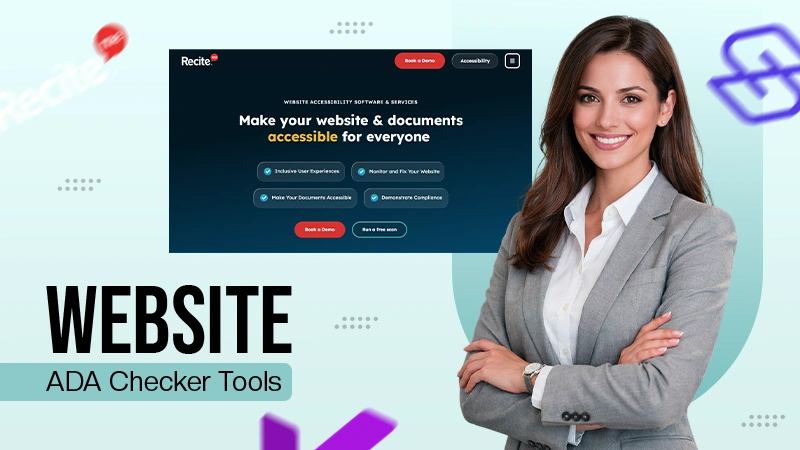
Recite Me is a great choice for organizations that want a practical, scalable way to find, manage, and address on ADA accessibility issues across their website. Offering more than just a quick audit, the tool can check a single page, scan a sitemap, or run scheduled scans to catch issues after new content or design changes go online.
It supports single-page scans, sitemap scanning, custom reporting, CSV exports, and workflow integrations with Jira and Azure DevOps, as well as AI-assisted remediation for some accessibility problems. This makes it particularly useful for marketing, content, development, and accessibility teams that need a clear strategy for fixing problems.
Accessibility Insights is a good, free option for developers and QA teams working in Chrome or Microsoft browsers. Its FastPass process uses automated checks alongside tab-stop testing to identify common keyboard-access issues rapidly. The more detailed Assessment mode also includes guided manual tests against WCAG 2.1 AA, giving a complete evaluation than most browser extensions.
Accessibility Insights is a good choice if you’re looking to test an individual page or feature during production. It is less suited to monitoring large websites, but it offers excellent value for hands-on accessibility evaluation.
Silktide is well suited to organizations with large or content-heavy sites. Its automated testing can scan thousands of pages and check against WCAG 2.1 and 2.2, while its broader platform also covers content quality, user experience, SEO, and security.
One useful feature is the ability to connect Silktide to your CMS, so new or updated content can be checked soon after it is released. This is particularly helpful for teams that publish content regularly and want to spot problems quickly. Silktide is a good choice if you need ongoing monitoring and reporting across an entire website rather than a one-off accessibility check.
Axe DevTools is one of the best-known choices for developers who want accessibility testing embedded into their process. Built on Deque’s axe-core rules engine, it offers browser, IDE, command-line, API, and automated-testing solutions.
The free browser extension is useful for checking individual pages, while the paid versions include guided testing, more detailed reports, issue sharing, and integrations with development platforms. This makes Axe DevTools a good fit for development teams that want to find accessibility issues while building, during QA, and before a website goes live.
AccessibilityChecker.com is a simple option for getting a quick AI-powered accessibility review of a public web page. It highlights common accessibility issues, explains why they exist, and suggests ways to fix them.
This tool is a good starting point for organizations that want a quick summary of possible WCAG issues that may affect ADA compliance. However, it is also possible to switch to the paid version of the tool. At which point, you’ll receive additional features, including site-wide WCAG compliance scans, ongoing monitoring plans, and AI-powered accessibility remediation at volume.
WebAbility.io has both a website scanner and AI-led correction tools. The platform is designed to support WCAG 2.2 remediation and also provides an accessibility statement generator, color contrast checker, alt text generator, and ADA Title II validator.
WebAbility.io could be worth considering if you want a quick way to find accessibility issues and explore possible solutions. However, automated fixes should always be reviewed carefully, as automation can meet a technical requirement yet fail to provide the right meaning, context, or experience for someone using assistive technology.
The ARC Platform is built for organizations that need to monitor accessibility across large websites, apps, and digital platforms. It continuously tracks accessibility performance, helping teams identify new issues after website updates, content changes, or new features have been launched.
ARC is a good choice for larger organizations that need clear dashboards, reporting, and a way to track development across different teams. It also helps accessibility managers report on risks and prioritize fixes for senior leaders. Because it focuses on long-term monitoring, ARC works best alongside manual accessibility testing and professional assessments.
WAVE has been one of the most widely used accessibility testing tools for many decades. Simply enter a URL into the online checker or use the browser extension to highlight accessibility errors, alerts, page structure, ARIA information, and color contrast issues directly on your website.
The browser extension can also test password-protected pages, local files, and dynamic content because it runs inside your web browser. This makes it a useful tool for developers and accessibility specialists checking pages before they are released. WAVE is not designed to confirm that a page is fully accessible. Instead, it helps you understand what needs checking and where improvements are required.
BrowserStack Accessibility Testing is a good option if your team is already using BrowserStack for quality control. It includes scheduled website scans, workflow testing across multiple pages, automated testing, keyboard-assisted testing, and screen reader sessions on real hardware.
This is useful for testing complete user experiences, such as creating an account, completing an online application, or checking out on an e-commerce website. BrowserStack is a good fit if accessibility testing needs to be part of your wider browser and device testing workflow.
EqualWeb offers an instant accessibility checker that scans a web page against WCAG 2.2, provides an accessibility rating, and highlights the most important issues to fix. The wider platform also includes website crawling, ongoing monitoring, PDF accessibility checks, remediation tools, and access to accessibility experts.
It is a good option for organizations that want one place to monitor ongoing accessibility, as the managed services are also useful for teams that need additional support. However, like every tool on this list, the compliance score should be used as a guide rather than evidence that a website meets ADA requirements.
The best accessibility checker for website ADA compliance is usually the one that fits into how your business operates.
Recite Me Accessibility Checker is a strong all-round choice for organisations that need website scanning, reporting, and support with managing accessibility problems. Microsoft Accessibility Insights, WAVE, and the free version of Axe DevTools are excellent tools for testing individual pages during testing. Platforms such as Silktide, AccessibilityChecker.com, and BrowserStack are better suited to organisations that need ongoing monitoring across large sites.
So which checker will you select? Only you can decide, but the time to act is today.
AccessibilityChecker.com, WAVE, and the free version of Axe DevTools are all excellent places to begin. Each can identify common accessibility issues quickly, but using more than one tool alongside manual testing will give you better coverage.
Automated tools can detect issues such as missing form labels, color contrast failures, some keyboard and focus problems, incorrect ARIA, empty links or buttons, heading structure errors, and other code-related WCAG results.
No, accessibility overlays and widgets do not replace the need to make the website itself accessible. Accessibility should be built into your content, code, design, and user violations from the very start.
WCAG 2.2 Level AA is a common target for many organizations. The DOJ’s Title II rule generally requires covered state and local government entities to meet WCAG 2.1 Level AA, subject to compliance dates and exceptions. However, the right standard for your website will depend on your legal requirements and the needs of your visitors.
Not quite; an accessibility checker can help you find and prioritize issues, but no tool can guarantee compliance on its own. Making a website accessible requires fixing issues, carrying out manual testing, and reviewing the website regularly as it evolves.