A person wants to rent a house, and he tours two similar homes on the same street. One has all the digital features, like a keypad lock and a video doorbell, while the other one still uses a brass key. Well, there are chances that the past three tenants may have copied the brass key.
People who value security and convenience will always look for features like keyless entry and mobile alerts. For single-family rentals, these features raise a few practical questions.
Which devices matter most to tenants, how much do they cost to run, and how can tenants add them without invading their privacy? This article answers all the questions most owners have and what they can expect from digital security systems.
What Tenants Now Expect From Rental Security
Most tenants now treat a few smart security features as standard, not as extras. If you are thinking about where to start, set up digital access, a keypad lock, and a video doorbell. Then add leak and smoke alerts, since those steps cover most of what renters look for in a listing.
Tenants now tend to expect:
A keyless or smart deadbolt with a personal code
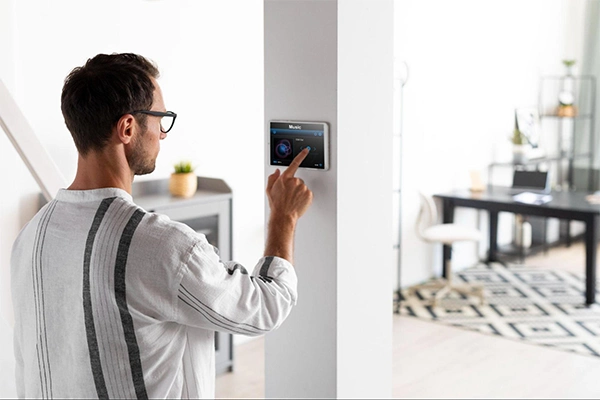
A video doorbell that sends alerts to a phone
Leak, smoke, and carbon monoxide alerts
Well-lit entries and walkways
App-based notices for entry, repairs, and showings
Fast help when a device stops working
In metro Atlanta, many renters lease houses rather than apartments. Those homes range from older in-town bungalows to newer suburban builds, so door hardware, wiring, and Wi-Fi strength can vary from one street to the next. That mix makes a simple, consistent device plan worth having.
None of this is about gadgets for their own sake. Tenants want control over who enters their home and peace of mind while they are away. Local firms that manage single-family homes, specialized 247 atlanta among them, treat these devices as part of normal property care instead of a perk. That view matters, because a device nobody maintains soon turns into a complaint.
The table below compares common smart security systems by what tenants value and what each one asks of the owner.
Feature
What tenants value
Owner benefit
Cost and effort
Starting priority
Smart deadbolt
No keys to lose, personal codes
No rekeying at turnover
Medium
First
Video doorbell
Visitor and package alerts
Fewer disputes about access
Low to medium
First
Leak sensor
Early warning of water problems
Less water damage
Low
Second
Smoke and CO alerts
Phone alerts when away
Faster response to hazards
Low to medium
Second
Sensor lighting
Safer path to the door
Better curb appeal
Low
Third
Indoor camera
Rarely wanted by tenants
Adds privacy and legal risk
Not recommended
Avoid inside units
Why Expectations Have Shifted
Tenants Live With Smart Tech Already
Renters open their cars with their phones, track food orders by the minute, and approve bank fines with a fingerprint. When they move into a rental, they expect the front door to work the same way. Lost keys, lockouts, and missing packages are daily hassles, and smart tools fix each one without a phone call.
Security Is Now About Control and Visibility
Better rental security used to mean a solid door and a sturdy deadbolt. Today it also means knowing who came in and when. An entry log shows a tenant that the plumber arrived on time, and a doorbell clip shows where a package went. That record helps the tenant first, which builds trust.
Owners gain as well, since code changes replace most rekeys and lockout calls drop. Listings with these features also give renters one more reason to book a showing.
Setup Choices for Single-Family Rentals
Most advice on this topic is written for apartment towers with a front desk and staff on site. Single-family homes are various. Nobody sits in a lobby, door hardware varies from house to house, and many owners live in another state.
That makes setup decisions more important. Good picks include a smart deadbolt with unique codes, a video doorbell, and leak sensors under sinks and near the water heater. Where you can, choose devices that run without a separate hub, so fewer parts need resetting at turnover.
Time-limited codes help a lot here. A vendor or showing agent gets a code that works for one afternoon and then expires on its own. Before purchasing, check door fit, Wi-Fi strength, and battery access at each home. Keep a mechanical key backup for every smart lock, because batteries and networks do fail.
Privacy, Fair Housing, and Legal Guardrails
Smart home security for rentals only works when tenants trust it. Defined rules set before move-in protect both sides.
Privacy andCamera Placement
List every device in the lease, along with what it records
Never place cameras inside the unit or in private spaces
Spell out who owns footage and access logs, and who may view them
Reset codes, remove old accounts, and transfer apps at every turnover
Smart security features can influence rental decisions, but they should never come at the expense of tenant privacy. According to Zillow, 81% of renters say one or more digital features are important when choosing a home to rent.
For property owners, the goal is to provide the convenience renters value while setting clear boundaries around camera placement, data access, and device management.
Fair Housing and Consistent Policies
Apply the same devices, rules, and access policies to every tenant. Treating every tenant the exact same way helps you follow federal fair housing law, and it keeps your choices easy to explain. Rules on recording, entry notice, and tenant-installed devices can vary by place, so confirm Georgia and local rules with a qualified attorney before you install anything.
A Practical Rollout Plan for Smart Security
Start Small and Phase Upgrades
Apply the smart lock first
Add the video doorbell next
Place leak sensors near water sources
Consider sensor lighting and other add-ons last
Pilot the setup on one home before rolling it out across a portfolio. When you budget, verify the upfront price, any monthly app or cloud fees, and battery and replacement cycles. Then weigh those estimates against what you spend today on rekeys and lockout calls.
Keep a Human in the Loop
This kind of property tech works best only when a person owns the process. That means a written turnover checklist, a clean handoff of codes and app access, a short setup guide for new tenants, and one contact for problems. A smart lock with a dead battery at midnight still needs someone to answer the phone.
Whoever manages the home should track battery dates, firmware updates, and warranties along with regular upkeep. Personal service stays at the center of the tenant conversation, with the devices playing a supporting part.
The Bottom Line
Tenant expectations have moved, and smart security is now part of how renters judge a home. You do not have every device on the market to meet them. A smart lock, a video doorbell, and leak and smoke alerts cover most of what tenants want, and they cut rekeying and lockout costs at the same time.
The toughest part is running these tools well. Write down your device list, privacy rules, and turnover steps before the first install. Test the setup on one property, track what it costs and saves, and expand from there. Keep a real person in charge of codes, batteries, and tenant questions, so the tech supports good service instead of standing in for it.
FAQs
Can a Landlord Legally Prevent a Tenant From Installing a Security System?
It relies on the lease and local law. Many leases limit changes that drill into walls or alter wiring, so landlords can often require written consent first. Wireless, removable devices that cause no damage are generally easier to approve. Some areas protect certain safety measures, so tenants should review their lease and local rules, and owners should confirm details with an attorney.
What Are the Main Security Risks Associated With Smart Home Devices?
General risks include weak or reused passwords, old firmware, unsafe home networks, and data sent without encryption. A poorly secured camera or sensor can be accessed from afar, which can expose private footage. You can lower these risks by turning on two-factor sign-in and updating firmware on a schedule. It also helps to put connected devices on a separate network and pick brands with defined data practices.
What Type of Security System Is Best Suited to a Rental Apartment?
Wireless, battery-powered systems with adhesive or tension mounts tend to work well in rentals. They go up without drilling, move easily to the next home, and often include door and window sensors, a small camera, and a phone app. Tenants should also verify whether monitoring requires a long contract and whether the system runs well on the building’s internet.