I accidentally lost an important Word document from my PC without any backup. Is there any professional data recovery software to restore lost files?
Data loss, especially without any previously created backup, may put you in trouble. If you ever find any file or folder deleted on your PC, it’s important to proceed with the recovery workarounds immediately. There are several methods, such as previous backups, in-built utilities and third-party professional data recovery software tools, which you can use to restore deleted files with ease.
Restoring data from manual methods can be time-consuming and often fails to provide the desired results. To expedite and enhance the recovery process, utilising third-party data recovery software is a practical solution. Although choosing the right recovery tool may be challenging, there’s no need to worry. In this article, we’ve outlined the top 05 professional data recovery software tools along with their pros and cons, to help you choose the best solution based on your data loss scenario and recovery needs.
Before choosing any professional data recovery software to restore your deleted files, it’s important to check its features carefully. While no single data recovery software offers every feature, many offer effective solutions for easy data restoration. Let’s discuss our top 5 professional data recovery software tools in detail:
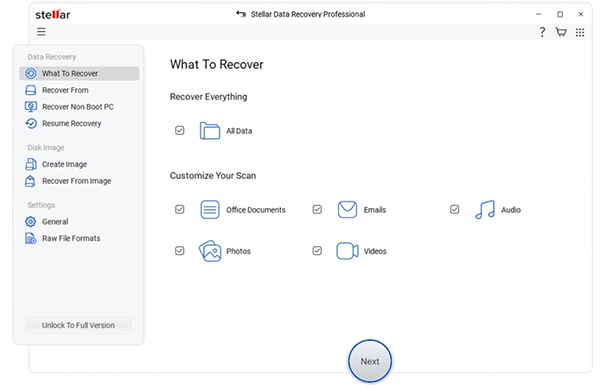
Stellar Data Recovery Professional is a reliable, all-in-one professional data recovery software that allows you to restore files deleted due to several reasons in a few simple clicks. You can use this tool to recover lost, deleted, or formatted data from a wide range of storage devices, including hard drives, SSDs, USB flash drives, and memory cards. The software is designed with an advanced algorithm, which restores your lost data while maintaining its safety. Its user-friendly interface makes it accessible even for non-technical users, while advanced options cater to professional recovery needs.
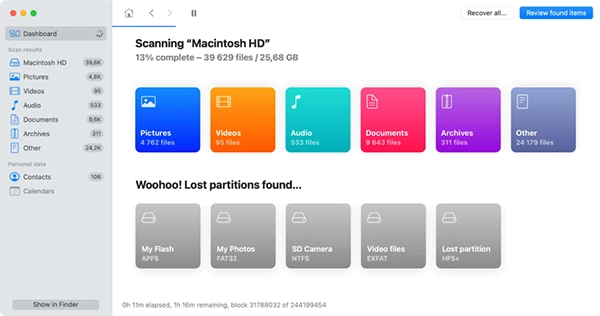
Disk Drill comes with an intuitive design, which makes it a favourite professional data recovery software for both beginners and professionals. It is mainly known for its support to restore deleted files of various types, including documents, photos, videos, and archives. The Recovery Vault feature of this software helps you protect important data by keeping track of deleted files, increasing the chances of successful recovery. You can easily preview recoverable files before restoring them, ensuring they only recover what they need.
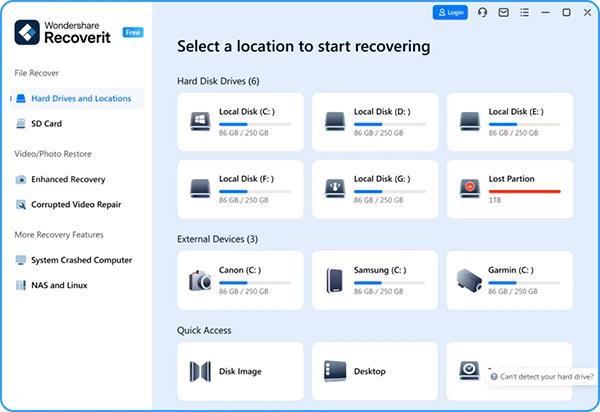
Recoverit, known for its robustness and compatibility with different file types, allows you to restore lost, deleted, or corrupted files from various storage devices. The software supports a wide range of file types, including photos, videos, documents, and archives. The Deep Scan option of this software makes it able to restore files even from formatted drives, lost partitions, or devices affected by system crashes. Additionally, Recoverit includes tools for rescuing lost videos with high recovery rates, making it especially appealing to content creators and media professionals.
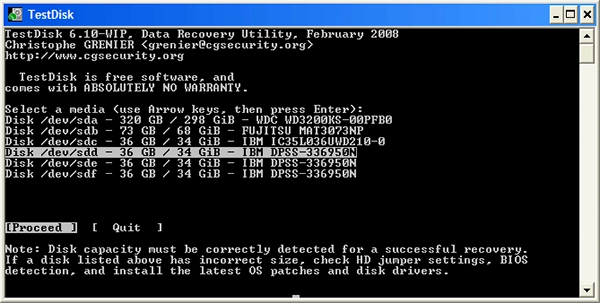
TestDisk is a powerful open-source professional data recovery software mainly designed to recover data from lost partitions and repair corrupted disk structures. Unlike many commercial tools, TestDisk is a free and highly effective tool allowing you to restore files deleted due to several reasons. You can use this software to recover files from drives affected by accidental formatting, partition table damage, and certain types of file system corruption. In addition to recovering lost partitions, TestDisk can rebuild boot sectors and fix corrupted partition tables, which helps restore otherwise inaccessible data.
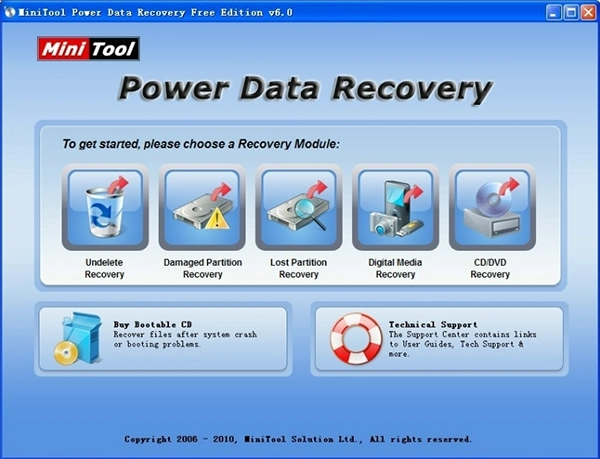
Last in our list of top 5 professional data recovery software is MiniTool Power Data Recovery software. It is a reliable and user-friendly recovery tool designed to help individuals and businesses retrieve lost or deleted files. This professional data recovery software supports recovery from hard drives, SSDs, USB flash drives, memory cards, and even optical media like CDs and DVDs. Its intuitive graphical interface makes it accessible for users of all technical levels, even beginners, to easily restore deleted files. MiniTool offers both quick and deep scan options, allowing recovery of recently deleted files as well as data from severely corrupted partitions.
Data loss can happen to you at any time. If you ever encounter such issues on your device and don’t have a backup of your lost data, go with professional data recovery software tools to recover your lost files in Windows. These tools perform a comprehensive scanning of your stored files to locate the recoverable data. Choosing the right data recovery software can make the difference between lost data forever and a successful recovery in minutes. It’s important to carefully check the features of the recovery software you want to use.
Moreover, consider preventive measures like creating regular backups, avoiding unsafe downloads, safely ejecting storage devices, etc., to protect your device against corruption and data loss.