The answer is yes. While VPNs mask the public IP address and secure data, they do not stop websites from tracking their users with the help of cookies, browser fingerprinting techniques, or logged-in accounts.

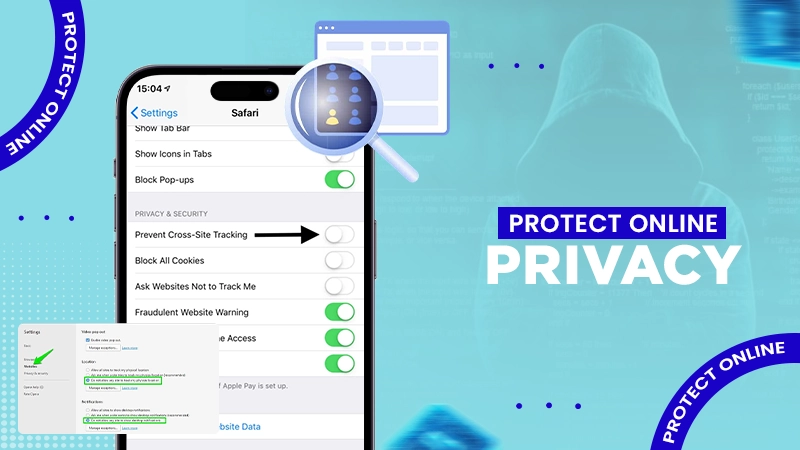
Every click, search, and visit to any web page can result in the formation of digital footprints, which are used by companies to understand customer behaviour on the internet.
Although website tracking can be helpful in improving service quality and personalizing user experience, it can also invade privacy of the user. On the bright side, users have several techniques that will help protect their data from being collected.
This article explores some simple, useful techniques users can use to improve their online privacy in 2026.
KEY TAKEAWAYS
- Cookies, browser fingerprinting, IP logging, and tracking scripts are some ways websites track your browsing activity.
- Browser and privacy settings, blocker extensions, regular cleaning of cookies, and updating your browser can decrease the amount of information websites have access to.
- Incognito mode will protect your local browsing history but won’t shield your IP address or keep you safe from being tracked by websites.
- Using a virtual private network (VPN) is another way to add to your privacy; it will encrypt your traffic and make your public IP invisible.
Not having any form of online tracking at all is impossible, but it is definitely possible to minimize the amount of information collected by websites. This can be done by selecting a good browser, minimizing unnecessary cookies, activating tracker blocking, and using a secure VPN. Since no single tool can prevent all forms of blocking, using different tools combined is the most effective approach one can use.
The most common example of tracking while surfing online is visiting a website for a product and then seeing ads for that product appearing on other sites and apps.
Modern websites collect information using multiple methods.
The most common tracking methods include:
Each method reveals a small piece of information. But combined, they can give an extremely detailed picture of your browsing activity.
The following information is typically collected by companies depending on their websites:
Most of this data is used for analytical and advertising purposes; however, these are important personal information.
Modern browsers such as Firefox and Brave have built-in protection against a wide range of trackers.
They can block third-party cookies and prevent some fingerprinting techniques by default.
Cookies are not actually harmful; they allow you to stay logged into websites and also maintain your preferences.
However, deleting unnecessary cookies reduces long-term tracking across different websites.
Most modern browsers include privacy settings that block known tracking scripts.
Spending a couple of minutes reviewing these settings can noticeably improve your privacy.
Private browsing mode ensures that the browser does not save any history or cookies after the session ends.
However, it doesn’t hide your IP address or make you anonymous online.
Updates regarding security and privacy issues are released regularly.
Using the latest browser version helps protect against newly discovered vulnerabilities.
Extensions often request extensive permissions.
Only install the plugins you need, and delete the unnecessary ones.
Privacy isn’t only about tracking.
Protecting your online accounts is equally important, especially when you protect them by enabling multi-factor authentication.
VPN technology encrypts your online data and changes your publicly visible IP address to an IP address that the server uses.
Although it doesn’t protect from every form of tracking – such as cookies or browser fingerprinting – it does make it more difficult for websites and networks to associate your browsing activity with your original internet connection.
If you need a user-friendly VPN service, VPNLY is one option worth considering. It offers encrypted connections, supports multiple devices, and provides a straightforward setup for users who want to improve everyday online privacy while browsing at home or on public Wi-Fi.
A virtual private network is very useful for enhancing your privacy, but it isn’t a complete solution.
It won’t prevent tracking if you:
Good privacy comes from combining multiple habits rather than relying on a single app.
While being completely anonymous on the Internet is a tough challenge, increasing privacy is definitely possible.
Using a secure browser, minimal tracking, up-to-date software, and a reliable VPN creates multiple layers of protection that work together.
For everyday users who simply want a safer browsing experience without much fuss in setting up, a VPN such as VPNLY can be an effective part of that privacy toolkit.
The answer is yes. While VPNs mask the public IP address and secure data, they do not stop websites from tracking their users with the help of cookies, browser fingerprinting techniques, or logged-in accounts.
The answer is no. Private browsing mode blocks your device from preserving your local history and cookies after the end of your session; nevertheless, it does not prevent your IP address from being visible to the websites’ admins.
Browser fingerprinting is legal in most countries. Nonetheless, modern privacy laws impose stricter rules on the disclosure of users’ data collection and usage methods employed by websites.