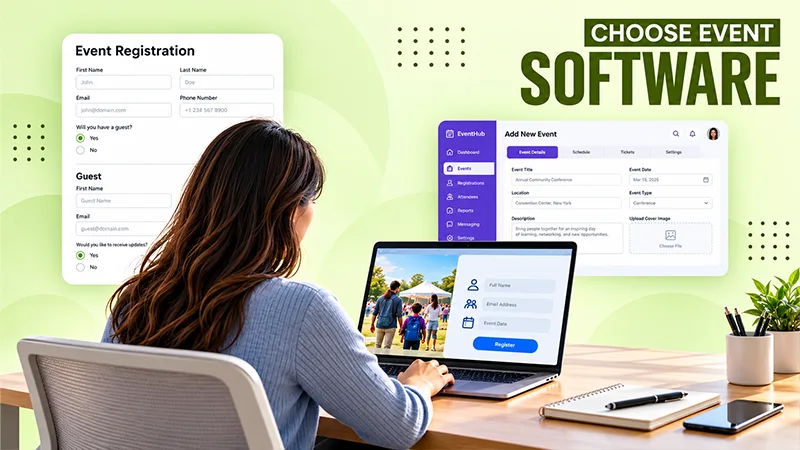
Planning a school fair or family workshop involves dozens of decisions. Somewhere between arranging activities and briefing volunteers, someone needs to work out how families will register.
That choice deserves attention. Parents may share contact details, select activities for their children, and make payments through the booking process. They need to understand what they are signing up for and how their information will be used.
For organisers, the right software should make bookings manageable without adding unnecessary complexity. Choosing well starts with examining the experience from both sides: the family completing the form and the team preparing to welcome them.

Before comparing providers, describe the event in practical terms. How many people might attend? Will one adult register an entire family? Are there separate activities with different capacities? Will tickets be free, paid, or a mixture?
A school information evening might need a simple attendance form. A family festival could require group bookings, timed sessions, and several ticket categories.
Write down the essential requirements before looking at optional features. This gives the organising team a shared basis for evaluating services.
Think about responsibilities, too. Decide who will build the registration page, respond to questions, correct bookings, and manage arrivals. A platform that needs extensive configuration may be difficult for a volunteer committee with limited availability.
Finally, identify what information staff need after registration closes. Accurate activity totals might matter more than an elaborate dashboard. Let the work you need to complete guide the features you prioritise.
Start with a clear purpose for each question on the form. A contact email may be necessary for confirmations, while a child’s full date of birth may be unnecessary if an age band would support activity planning.
Avoid using registration as an opportunity to collect information that might be useful someday. Additional details create more records for the team to manage.
If you ask about dietary or access requirements, explain the purpose and identify who will review responses. Give parents a private contact option when a conversation would be more appropriate.
Ask providers who can view attendee records, how staff access is controlled, and what happens when information is exported.
Establish where records are stored and how long they remain available. Agree on what happens to them after the event, including any downloaded copies held by organisers.
Parents should receive an understandable explanation of these arrangements. Keep event communications and optional future marketing preferences distinct.
Bring the school’s responsible staff into the discussion early. They can assess the proposed setup against existing policies and identify questions that need answering before registration opens.
Searching for “event registration softwares” will produce options with different features and service models. A useful comparison starts with asking each shortlisted provider to complete the same realistic tasks.
A demonstration should include the experience of someone using a phone with only a few minutes available.
Can they understand the event, choose an activity, and complete a booking without repeatedly scrolling back for information? Are prices and attendance rules visible before payment?
Test family bookings carefully. One parent may need to register two children for different sessions while also booking an adult place. The process should make those relationships understandable.
Check how confirmations describe the booking. Parents should be able to see who is registered, which sessions they selected, and what happens next.
Corrections matter as much as initial bookings. Ask how someone changes an email address, cancels a place, or updates an attendee’s name.
Provide a route to human help. Clear contact details give families an alternative when their circumstances do not fit the form or they need assistance completing it.

Good communication reduces avoidable uncertainty. Look for a practical way to send confirmations, reminders, and updates to the people affected.
For a school activity day, messages might include the correct entrance, arrival window, clothing requirements, and whether adults must remain with children.
Check who can edit and approve these messages. An automated reminder only helps when its content is accurate.
Then consider arrival arrangements. Ask how the system handles missing confirmations, booking errors, and connectivity problems. Volunteers should know when to resolve an issue themselves and when to involve a coordinator.
Keep the purpose of check-in clear. Recording arrival does not establish who is authorised to collect a child or replace the school’s supervision procedures.
Review the technology alongside the event plan so staff understand where registration ends and their other responsibilities begin. Write those responsibilities down and include them in the briefing for everyone working at the entrance.
Klobbi offers event registration software alongside managed services that help organisers prepare their registration process. Its published capabilities include custom forms, conditional fields, and group bookings.
For a family event, these features provide a starting point for discussing how adults and children should appear within a booking. An organiser could ask Klobbi to demonstrate a parent registering several attendees and selecting appropriate activities.
That demonstration should use the school’s actual requirements. For example, the team might need different questions for volunteers and visitors, or separate registration options for morning and afternoon sessions.
Klobbi also provides a named project manager. Organisers can discuss who will configure forms, check wording, and test bookings before launch.
The value of this support depends on clear preparation. Bring a sample event schedule, expected attendance categories, and a list of necessary questions so the proposed setup can be assessed against real tasks before making a decision.

Klobbi states that it holds ISO 27001 certification and describes encryption, restricted access, and client-defined retention arrangements on its website. These statements provide useful subjects for a provider discussion.
School organisers should ask for documentation relevant to their proposed service, including the certification’s scope and the arrangements covering their attendee records. Confirm where information will be stored and which people can access it.
Then work through the event’s specific needs. Will volunteers need full records or only enough information to check bookings? Who will export attendance information? When should working copies be removed?
Ask Klobbi to explain these arrangements in language the organising team can use when communicating with parents.
A certification does not answer every question about a particular event. The school should review the agreed setup, identify its own responsibilities, and ensure its published information matches what will happen throughout registration and after the gathering has finished.
Klobbi’s services include scheduled confirmations and reminders, QR ticketing, onsite registration assistance, and on-demand badge printing. Its website also describes check-in kiosks that operate offline and synchronise when connectivity returns.
These capabilities are relevant to organisers expecting busy arrival periods or several attendee groups. A demonstration could show a family arriving together, a missing confirmation being resolved, and an incorrect name being updated.
For a smaller workshop, ask which services are necessary and how a simpler arrangement would work. For a larger fair, discuss desk locations, staffing, and the support available if equipment fails.
Clarify which responsibilities belong to Klobbi and which remain with school staff. Registration assistance should fit alongside the school’s established visitor and supervision arrangements.
Before committing, request a service proposal covering the selected features, setup work, event-day staffing, and support hours. This makes it easier to judge whether the package suits the event and budget.
Prepare a short scenario: one parent books two children into different activities, changes a selection, and later arrives without the confirmation email. Watch how the booking is handled at every stage.
Include the staff experience. Can the team find the correct record, make an authorised correction, and understand the updated attendance totals?
Ask to see how access permissions are assigned and removed. Discuss what happens when a volunteer leaves the organising team.
Request a clear breakdown of costs, including setup, payment processing where relevant, equipment, staffing, and additional support. Confirm cancellation terms and responsibility for refunds before collecting payments.
Finish by agreeing on launch preparation. Identify who approves the form, tests messages, and checks the registration page on different devices.
A short rehearsal with staff and parent volunteers can expose confusing instructions while there is still time to improve them. Record the problems they encounter and ask the provider to demonstrate the corrected experience. This gives the final decision a practical basis and helps everyone understand what they are purchasing.
The right registration software should help organisers handle bookings responsibly and give families a clear, manageable experience.
Start with the event’s requirements, examine data handling, and test the full journey from sign-up to arrival. Evaluate services such as Klobbi against those needs, including the support your team will require.
Keep parents’ practical questions at the centre of the process. They should understand what they are booking, what information they are sharing, and where to get help.
When those details work well, organisers can devote more attention to delivering an event that families are glad they joined.