Creating a guest account ensures the main security controls are kept away from what visitors and other people access.

Homes are not just homes anymore—they have become a web of IoT (internet-connected) devices. From baby monitors to voice assistants, every device constitutes a smart home. All these devices work on a set range of networks, whether it is for monitoring what your kids are watching online or it is simply a motion-assisted sensor to interpret movement.
And when these networks are weak, the devices bypass the home network filters meant to keep children safe. A weak connection makes it very hard to manage what kids see online.
That’s what this setting begins with: a smart connection—the right cabling. When the connection is smooth, working becomes easier. To ensure this, stability serves as the first step to create a digital space in the home.
Read more to understand the ways to enhance online safety with smart home technology.
Key takeaways
- For proper connectivity and networking of various available online safety devices, wired cabling is used.
- The placement of the hardware plays a crucial role in ensuring that every device is within the range of the common access point.
- The right networking hubs allow parents to create a separate account for every user in the home.
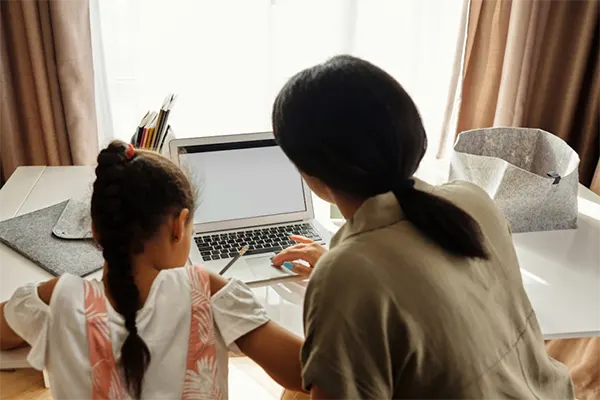
The strength of any digital safety plan depends on the physical network infrastructure. Many people rely only on a single wireless access point in the living room. This signal often struggles to go through thick walls or reach the second floor. When the signal is weak, kids might turn off security features to get more speed.
Universal Fiber Optics provides the physical infrastructure needed to support high-speed data and security systems. They help create a permanent grid that handles heavy traffic from games and movies.
Placing your hardware in the right spot changes how well your security software works. A router hidden in a closet will not send a clear signal to every room. A good plan involves putting access points where they can reach every device easily. This ensures that the primary network covers the whole house.
Here are some ways to improve the physical layout of a home network:
Wireless technology is very handy, but it can be easier for outsiders to block. A signal traveling through a physical cable is much harder for a stranger to track. For home security, a wired connection offers better reliability and protection for the family.
These systems send data through a path that stays inside the house walls. This makes it very hard for anyone to mess with your security cameras. It also keeps your connection fast, even when everyone is online at the same time.
Once the physical wires are in place, you can add software to monitor internet use. Parents can now make profiles for everyone in the house with smart home hubs. Also, one can set time limits and block unnecessary content for each child.
These systems work best when the hub is connected directly to the main router. This avoids the signal from fading while you are checking on your kids. Understanding what is going on on the screen is better than just watching the clock.
Parents can use smart tools to set schedules that turn off the internet automatically. This means the internet stops working at bedtime without a big argument every night.
Many security systems now include cameras that let you see who is using a device. These cameras should always use a highly encrypted network to keep hackers away.
Setting up these features helps maintain a routine for the whole family:
Watching social media use and checking shared media helps find risks before they grow. These steps work best when the home network keeps a clear log of all traffic. A constant connection sends alerts to a parent’s phone the moment a child sees something bad.
This quick response time is a huge part of modern parenting. These tools help to track an unknown person who is trying to talk to your child. Having this information earlier allows you to talk to your kids about staying safe.
The National Institute of Standards and Technology says that keeping hardware updated is a top concern. You should check for software updates at least once a month to fix issues. When a network is structured, it is easy to see every device that is right now online.
This helps you spot a neighbor or a stranger using your signal without asking. Keeping your network clean and updated is a simple way to stay protected.
Smart network design lets you separate your private files from your smart gadgets. Devices like smart light bulbs or smart fridges often have weak security settings. If a hacker gets into a smart bulb, they could reach your private bank records.
High definition cameras also need a lot of bandwidth to show a clear picture. If these cameras have a weak signal, the video might be blurry when you need it. Wiring these units directly keeps the video clear and keeps your files safe.
A great way to stay safe is to make a separate network for guests and gadgets. This keeps visitors away from your main family computers and private photos. A well designed network makes it easy to manage these different zones from one app. You do not need to be a computer expert to set this up properly.
Follow these steps to keep your main data separate from your smart devices:
The Federal Communications Commission offers advice on how to keep home networks safe from hackers. They advise using strong encryption for any device that has a microphone or camera. Many pros suggest using cameras that get power and data from the same cable. This makes the setup look clean and keeps the connection very steady. Steady video is better for watching the kids play in the backyard while you are busy. It also helps you see exactly who is at the front door.
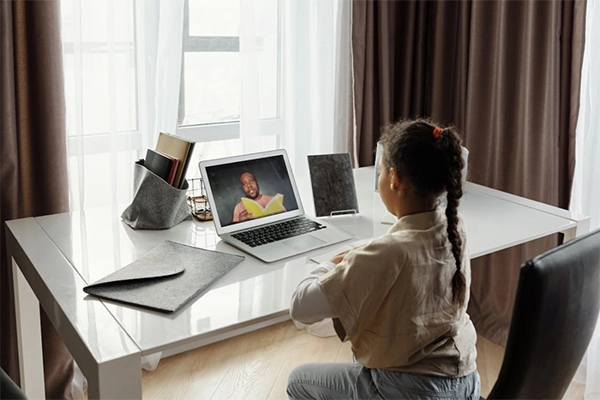
Smart home technology moves fast and makes it easier to improve safety, but only works efficiently when the core foundation is set properly. Which is a good cabling system that lasts for a long time and works with new devices?
You need to update your hardware and software to stay ahead of new online risks. Parents should check their home network every season to remove old devices.
Above this, smart tools, including the parental controls, help to keep things controlled about what is happening online. Also, regular updates with good habits ensure awareness for both the parents and the children. In the end, a safe home is built on both strong foundations and smart management.
Creating a guest account ensures the main security controls are kept away from what visitors and other people access.
By tracking things early and ensuring no wrong activity is performed on any social media or other platforms, it is a great way to avoid safety issues.
Because of its safety factor. Wireless cabling is much easier to block. While the wired cabling works more efficiently.