Have you ever wondered how the world’s leading AI cloud business management platform helps students to learn Project Management easily? Project management can be applied in ways other than just corporate or senior roles.
Access to a cloud-based AI business management platform early in a student’s academic career gives them hands-on experience with the practice of project management rather than only the theory and classrooms. These cloud business management tools allow students to experience what a ‘real’ business environment is like.
Students prepare for high-growth careers in marketing, startups, and operations by learning how to create task plans, track task analytics and communicate in a structured manner. These five cloud-based platforms provide students with a practical, professional, and effective way to learn project management.
Read this article till the end!
KEY TAKEAWAYS
Use high rated AI cloud business management tools to organise your entire semester in one place
Learn how to coordinate group projects effectively so you never have to wonder “who is doing what” again
These platforms help the students to use AI tools for SaaS business management, preparing them for digital-first business environments.
Experiment with AI CRM features to understand how sales and marketing professionals track success
Cloud business management tools help students to collaborate remotely and make the process of learning more flexible.
Top 5 Cloud Business Management Platform Tools Students Can Use to Learn Project Management
Project management has become a mandatory skill for students preparing for modern careers, but learning it through textbooks can be dry. Cloud-based platforms allow you to get real-world experience with the exact same software tools used by the most successful start-ups and Fortune 500s.
Balancing a heavy academic workload while learning new technical skills can be overwhelming. Although organisational tools such as Asana can help keep teams on track, it’s common for team members to feel burned out with so many assignments. In these moments, some students rely on essay writing services to manage their writing deadlines, freeing up time to focus on mastering these practical project management tools
1. Monday.com
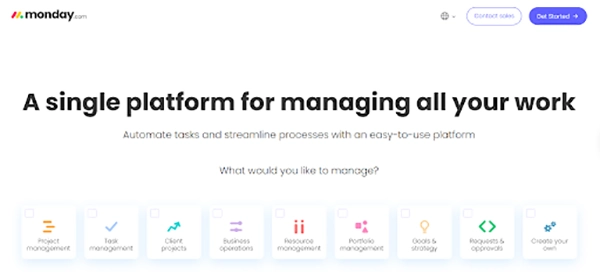
Monday.com is widely considered the most visually intuitive AI cloud business management platform on the market. If you’re a visual learner and find spreadsheets tedious and confusing, then this tool is ideal for you! The colourful, drag-and-drop interface will make it easy for even those who are just starting out to begin managing their workflow.
The AI-based tools help to organise the clarity as well as help the users to understand the responsibilities without confusion. Monday uses AI to adapt its platforms to different types of academic and business projects and is designed to make complicated projects seem less intimidating and more organised.
Best For:
Monday.com An AI-based platform, is ideal for students in Business Administration and Marketing. It is perfect for managing group projects where communication usually breaks down. It enables the students to know of the actual work environment situations, including joining and work organization.
The AI-driven platform allows the students to get insight into how organisations operate in real-life situations, in terms of managing people and schedules.
Key Features for Students
The platform consist of boards, columns, and status labels (such as Working on it, Stuck, and Done) that can be customized to track progress in real time.
Furthermore, it incorporates color-coded updates that allow you to see whether someone is doing their job or not, making groups more accountable. Students can use simple automation recipes (e.g., “When a deadline arrives, send an email to the team”) to mitigate repetitive admin tasks.
An MDPI study found that students using cloud-based project management tools show improved partnership and effective time management as compared to traditional learning methods.
Practice Exercise
Create a Board mainly for a “Final Presentation
Create Columns: Task Name, Status, Student Name, and Deadline.
Add Tasks: Research, Speech Writing, Slide Design, Final Review.
Set Automation: Set a rule that notifies the whole group 2 days before the presentation is due.
2. Asana
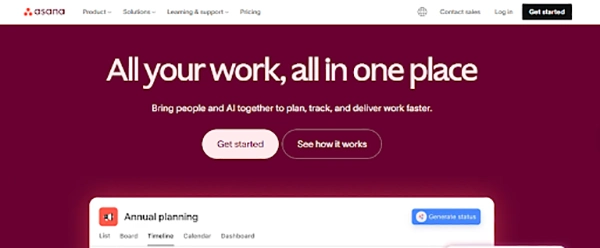
Asana is a reliable cloud-based project management platform built to enhance the clarity of workflow and task coordination. It is an ideal application for managing group projects as communication is often the biggest roadblock in teamwork.
Additionally, there are colour-coded updates that can keep all team members accountable for their actions and ensure that there are fewer misunderstandings within groups. Asana is widely adopted by top marketing agencies and creative teams. It is an essential tool to master if you are aiming for a career in digital media or communications.
Best For:
Asana is a very valuable AI tool for students studying Marketing, Communication and Event Management. Like Asana, Monday focuses on project dependencies and planned structure.
Because Asana has been widely implemented by many of the world’s leading marketing and creative agencies, it allows you to have a simulated agency experience with tight deadlines and high levels of coordination.
This makes it the best software for learning to create complex marketing campaigns and effectively meet multiple stage deadlines.
Key Features for Students
Asana lets you link your tasks to make it easy to see the task dependencies. Students should look at the tasks they need to complete and what can be done concurrently. The view of the timeline presents projects in a visual format and helps the students to plan long-term work and forecast deadlines more accurately.
Telkom University indicated that students use workflow-based project management tools such as Asana. It appears that they will be able to plan with greater accuracy and understand better how the different tasks are dependent on each other.
3. Trello
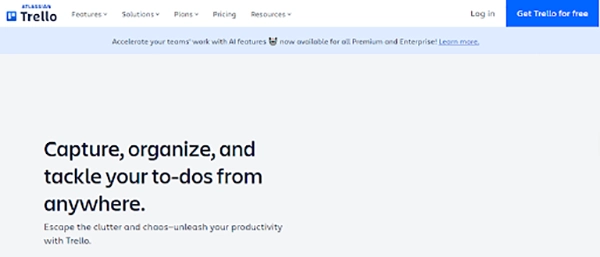
If complex software feels intimidating, Trello is your best initial point. It is a streamlined cloud-based project management platform that digitises the concept of “sticky notes on a whiteboard.“
The design is particularly useful for new project management students. Beginner students often prefer working with Trello because it clearly defines each step in the workflow with a visual presentation. As you drag and drop tasks across the board, you naturally learn the “flow” of project management without needing to master a steep learning curve.
Best For:
Trello is well suited for the simulation of startup and individual study planning. By being able to easily update and modify the flexible tasks, Trello supports the creative process within project management. Students should use Trello to manage the ideas and team activities in a lightweight and practical way.
Key Features for Students
Trello uses Kanban boards that display the tasks under stages such as “To Do”, “Doing”, and “Done”. This format helps students to see their progress over time and increase their accountability. The straightforward interface reduces the time of the learning process, enabling the students to focus more on the concepts of the project rather than the technical setup. Trello’s Power-Ups also allow students to easily connect to other tools such as Google Drive and Slack from the card itself.
A ResearchGate study found that students using the visual Kanban-based tools such as Trello, expressed improved organisation of tasks, collaboration, and time management as compared to traditional list-based planning methods.
Practice Exercise
Keep eye on a “Study Group” using a Kanban board
Students can:
Create subjects as cards
Set deadlines
Enable automated alerts
4. Smartsheet
Smartsheet is a cloud-based platform that utilizes artificial intelligence, and merges the comfort of using a spreadsheet with strong project management tools. It is very useful for students who prefer data-driven planning and structured analysis. Smartsheet also facilitates quantitative data analysis through its built-in features.
The smartsheet is often used in the various departments of finance and operations, where accuracy and the visibility of data matter most. Once students access Smartsheet, they will learn how to effectively use the numbers and metrics in their projects to make informed decisions.
Best For:
Smartsheet is perfect for students working with budgets and performance metrics. Students use Smartsheet in various departments, like finance and engineering. It helps the students to take care of complex data while maintaining the clarity of the project. Unlike other visual tools, Smartsheet assists students to manage complex data sets while maintaining project clarity.
Key Features for Students
Smartsheet brings advanced formulas and automated reports. These features allow the students to analyse progress and forecast results effectively. The grid-based layout feels familiar to the use of spreadsheets, reducing the learning curve and increasing the level of productivity from the start.
Practice Exercise
for a University Society Gala, create a budget sheet.
Set the Categories: open rows for Catering, Venue, and Marketing.
Apply Formulas: Use a formula to calculate the “Cost Per Attendee” based on estimated ticket sales.
The What-Introduction Scenario: Create a rule that results in the cell to turn red when its total cost exceeds your $5,000 budget. This is one of the lessons to visualize danger.
5. Wrike
Wrike is cloud-based project management software built for working with large teams and on complex projects. Its purpose is to coordinate work across industries while maintaining process clarity and control.
For students, Wrike provides valuable exposure to organization-level project management practices. The AI-based platform helps the students to understand how large organisations coordinate people and priorities at scale.
To achieve good results, students must learn how to use Wrike tools. Learning new skills while managing academic tasks might be difficult. In such high-pressure cases, outsourcing written assignments to cheap essay writing services can be a strategic move. This allows one to hand off standard academic papers while you dedicate the focus to mastering this complex, high-value technical skill.
Wrike is specifically suitable for students who are studying in operations management and IT management. It enables the students to function on cross-functional projects where multiple teams work together on a shared goal. Through the process of simulation, students develop a great understanding of the structure of organisation and strategic alignment.
Key Features for Students
Wrike supports the order of advanced tasks and workload management. Such kinds of features help the students to analyse the distribution of and identify the potential bottlenecks. Students should learn the complexity of a project by managing the multiple tasks and dependencies.
The Frontiers study expressed that the Wrike AI tool displayed stronger features of problem-solving skills and boosted the ability to manage cross-departmental coordination.
Practice Exercises:
Account setup and navigation: Account setup and navigation help to acknowledge the basic structure of the dashboard.
Time management fundamentals: Due dates and adding a detailed description with critical information help to manage the whole task.
Structure Coursework: Create a core folder for every semester and course management work.
Conclusion
Cloud business management sites are no longer just optional “nice-to-have” tools; they are the training cornerstone for your future career. These AI-based tools move the learning process besides theory and into real-world practice. Tools such as Monday.com, Asana, Smartsheet, Trello, and Wrike help the students to manage time, plan various tasks, and handle the flow of complex tasks.
With the AI features also built into these tools, students should learn how modern businesses reduce effort and boost decision-making skills. Early access to these AI tools boost up confidence and prepares the students for professional environments across marketing and technology.
Students should develop practical, job-ready skills that provide them a strong advantage in today’s competitive career landscape using cloud business management tools.
FAQs
Why Should Students Learn Project Management Using Cloud Business Management Tools?
Students should learn project management with the help of cloud business management tools as these platforms reflect how real organisations operate today. They teach the students how to plan projects and collaborate efficiently with teams. Cloud AI tools also help the students to acknowledge deadlines and the process of accountability.
How Do These Platforms Help Students?
Many platforms have AI features that help in the process of decision-making and mitigate manual effort. The practical experiences aid students with internships and build confidence. Learning through real tools makes the students more adaptable and well prepared for modern and digital workplaces.
Which Cloud Business Management Platform Is Ideal For Beginners in Project Management?
Trello AI-based tools support beginners to build the basic project management habits, including organization and accountability. When students feel comfortable, they can move forward to more advanced platforms such as Monday.com or Asana for more profound learning.