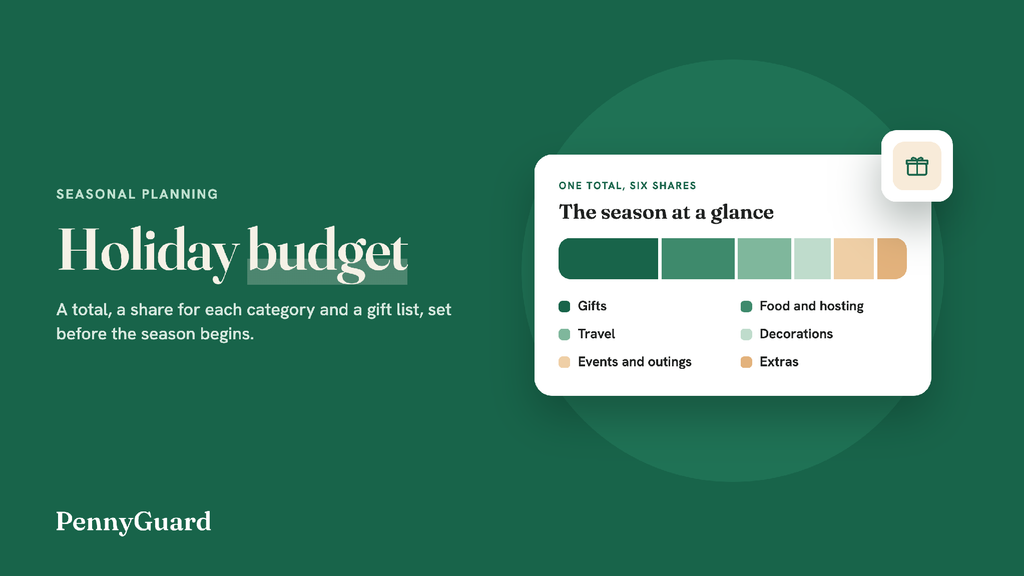
Alt text: PennyGuard cover for a holiday budget guide: the words “Holiday budget” on a green background beside a card with one bar split into six shares for gifts, food and hosting, travel, decorations, events and outings, and extras.
Holidays are something that rejuvenates us, and we cannot afford to skip them at any cost. That is where the concept of budgeting assumes importance. A holiday budget is the most crucial thing if you want to enjoy your celebration times to the fullest. By the way, as the year approaches its end, there comes a plethora of festivities that require our energy, attention, and money. That is the reason you should start working on the budget earlier. So, you have enough money to buy gifts and make plans for every important person in your life.
Last year’s spending makes a good starting point, because it reflects your own family, friends, and traditions. Go through the statements from that period and mark each purchase connected to the relevant season. Sort them into rough groups: gifts, food and hosting, travel, decorations, events, outings, and otherwise as suitable, and the small extras that are easy to forget, such as wrapping paper, cards, shipping, and an outfit for a party.
Add up each group approximately, then jot down which costs surprised you. Shipping on late orders, extra grocery runs before a big dinner, and last-minute gifts are common examples in this direction. Mark, too, the spending that felt worthwhile and anything you would like to leave out if you could do the season over. If you have no records at your disposal, estimate from memory with this year’s gift list in hand, and preserve this season’s receipts as a record for next year.
Tip: Search your inbox for “order confirmation” and “receipt” across last season’s dates. Online orders are usually quicker to total from email than from a statement or otherwise.
With last year’s figures before you, choose one total for the entire season. Start from what your regular budget carries once rent, bills, and groceries are covered already, and add any money you put aside earlier in the year for this purpose. Only count the income you are sure of. A year-end bonus that has not been confirmed is best left out until it arrives if you want your mental peace. Otherwise, it will be a real headache if you don’t receive that amount.
Write the total at the top of the page or even on your device, like your PC or any app on your smartphone. If you share a household, agree on the number together, as a total that only one person knows about is hard to stick to when the shopping starts.
Now, divide the total across the groups from Step 1: gifts, food and hosting, travel, decorations, events and outings, and extras. Let last season’s notes guide the shares for better estimates. If travel was the biggest surprise last year, give it more space this time. Maintain a small buffer line for the things nobody remembers until the last minute, for example, a host gift or a share of a group present.
Then make the gift list by person. A simple table does the job well, as provided below:
| Person | Idea | Where to look | Bought |
|---|---|---|---|
| Dad | A gardening book | Local bookshop | No |
| Maya | Art supplies | Craft store | Yes |
| Neighbors | Homemade cookies | Your own kitchen | No |
| Office exchange | Something within the group limit | Anywhere | No |
In your own copy, add a limit for each person with whom you are concerned, drawn from the gift share. Larger families often keep the list manageable with a name draw, where each person buys for one other, or with the surety of one present per household. Homemade gifts and shared tours can stand in for individual presents as well.
Tip: Keep a copy of the gift list on your phone to check while you shop, as that way you are fully functional even if you have lost your paper list.
Holiday costs arrive in waves, and knowing when each one is coming makes the plan easier to carry out. On a calendar, mark the time when each higher cost is likely to come due: travel bookings, a dinner you are hosting, party outfits, event tickets. Then spot the days your pay arrives. With both on one page, you can see which busy week needs money set aside from an earlier paycheck without losing your peace of mind.
For sales you care about, write down the specific items you plan to buy and the price you would like to be happy to pay, then check only those items when the sale starts. Many online stores post holiday shipping cutoff dates, and ordering before them allows you to avoid paying for faster delivery. Some people split the season into phases: gifts in November, food and hosting in December, and travel booked as soon as the dates are fixed.
Recurring subscriptions and bills keep running through the holidays, and some annual renewals happen to come up in these weeks: a warehouse club membership, roadside assistance, a website domain, an annual streaming or music plan. Gift memberships you pay for belong here as well, such as a museum membership, a class pass, or a magazine subscription for a relative. Giving them their own lines in the plan keeps the gift share untouched.
Watching renewals is a key part of the job of a subscription cancellation app and budget tracker, and PennyGuard keeps a list of subscriptions in one place, with recurring bills and duplicate charges alongside. The list comes from the bank or card that you used to make the connection and, if you like, your email, and you confirm which subscriptions are yours. If some of your spending is processed through a second account, another bank, card or inbox can be added to PennyGuard at any given point in time.
Because upcoming charges appear in PennyGuard before they renew, you can copy the ones due in the holiday weeks straight onto the season plan for better clarity. PennyGuard sends a heads-up in the app and by email before a renewal happens, which leaves time to decide whether a service continues through the holidays as it is. A price change brings an alert too. You can also add services to the list by hand, such as a streaming plan you give as a gift or a family gym membership, and see them with the rest of the items being shown there. Opening a subscription shows its next renewal date and its past charges, along with what a yearly plan cost last time. PennyGuard also shows what you spend each month, so December’s figure is ready for the January review in Step 6 without too much work.
Tip: Make sure to add the renewals to the calendar from Step 4 so the weeks they fall in have room for them.
Record each buy against its category and check off gifts as you buy them. Keep receipts and gift receipts together in one envelope or email folder, because January returns will need that. A short weekly look at the totals is crucial, as it shows early on whether a category is running ahead, while there is still time to shift money from another one, as per your preferences.
In January, once returns are done, draw a comparison of what you spent in each category with the plan. Write down what ran over and the reason behind, what came in under, and one or two changes for next season: order earlier, set a smaller limit for the office exchange, host a potluck in place of a full dinner. Save the page with the gift list and notes, and next year’s Step 1 can start from them with ease of mind.
Move money from a category with savings, such as decorations, and switch the remaining gifts to homemade, shared, or experience gifts. Update the limits on the gift list so the rest of the season works effortlessly from the new figures.
Check other dates, routes, or times of day, and ask whether family heading the same way could possibly share a car. If the price is still over the travel line, trim another category to match before considering raising the total.
You should always use the buffer line first in this situation. Offer a lower-cost contribution, such as a side dish or dessert, and keep the host gift simple and uncomplicated.
Consider rebuilding the picture from your statements and the order confirmations in your inbox, then update the bought column. From then on, log each purchase in the gift list as you make it.
Q. What are the 5 steps of budgeting?
These are as follows.
Q. How to plan a holiday budget?
To plan your holiday budget best, take the help of the application you use to keep track of all your expenses, i.e., normal or around the festive season.
Q. What are the 5 basics of any budget?
These are income, fixed expenses, debt repayment, flexible & variable expenses, and savings with emergency funds.