There is one common mistake that most people make while they are choosing a PDF editor. They tend to choose an editor based on whether the platform is free or not and whether the information is loaded fast or not, however these are the wrong metrics to evaluate an editor on.
One has to check what happens to the actual file and information once it is uploaded and this is honestly the part most people often forget to look out for. This is why this gap is where most of the risk sits instead of the editing part itself. Hence, a quick glance at the homepage will tell you nothing about the safety and the privacy policies of a PDF editor.
So in this guide we have talked about five risk factors which you should know about a PDF editor before you drop a random document into an editor side that you found online and used it just because it was free. This guys also lets you know about the characteristics of how a safe PDF editor like Pdfcap actually does differently.
1. Your File Might Sit On A Server Longer Than You Think
Most people assume that just because a site says that your file is deleted afterwards, the site is safe but that is hardly ever the case.
This happens more in cases where the editor runs in a browser because when the actual app is not downloaded on your laptop the file actually has to leave your device to get processed. And while most tools say that the file is deleted afterwards, “afterward” can mean multiple different things depending on the kind of server that you are using. This means that afterwards can mean within minutes for some sites but can also mean hours for some others platforms. All of this is because the site never states a clear timeline and instead uses a vague term to hide the actual privacy policy.
This is why a good approach to ensure the safety of your document online is to check the site for any stated retention time frame which it has mentioned before you upload a document. Moreover avoid uploading sensitive documents like a contract, a medical form, or a signed agreement. Such documents which have confidential information should not sit on someone else’s server for a long duration of time and a tool that is actually genuine understands this and hence explains its policies return terms on the site itself in plain language rather than burying it in a long term page.
2. Hidden Metadata Can Travel With The File
There are a lot of things which can be perceived from an edited PDF that most people actually do not think a PDF can do.
This means that a PDF actually carries more than the content which is visible on the page. It also carries the name of the author that made the changes, the changes that were made and sometimes it even suggest where the edits were made from such as the location of the author because the location data and IP addresses sometimes stay attached to the images inside the content unless someone is making an active effort to strip them out.
This is why most people do not think that a file has sensitive information because the visible content does not indicate that. However one has to remember that editing the visible content does not automatically clean all of the above information which might be present in a PDF file.
The risk of this increases massively if the document that you are sharing is passed on outside your organisation because then anyone who knows how to look at this information can access your location and personal information without you ever knowing about it. Metadata that reveals who edited a file, or when, isn’t always something you want attached to the version someone else receives, and most people never think to check for it before sending.
3. Free Tools Have To Fund Themselves Somehow
Most people are even that just because a platform labelled itself as free, it is actually free. This is far from reality because no free platform will ever sustain to run in the long term and that is why they need to recover the cost which they are spending. Some platforms do this by using ads and others monetize the data to recover the money spent.
There is only a small segment of online PDF editor platforms which offer a limited time frame for free usage after which you have to buy the paid subscription to continue using the services. These platforms actually provide genuinely free services for a time duration without touching the data and that is why such platforms are okay to use if you want to protect your information.
And most of this difference is shown in the privacy policy of the platform instead of its home page which is where most people look for in the first place. This is why if you want to protect your privacy and the data that you are uploading on the side, double check what free actually means in that server and don’t just assume that “free” means “no cost to you at all,” especially if the document contains anything you wouldn’t want used to build a profile on you.
4. Not Every Tool Encrypts The File In Transit
One of the fastest ways to ensure the safety of your file is to make sure that encryption is happening during the processing of a file.
This means that when a file is being downloaded or sent to another server for processing encryption must be taking place so that the information inside that file remains private. This is the same thing that happens in a banking site as well when you are paying someone through online transactions. However this standard is not met by every PDF editor and this is especially not maintained by tools which are older and hence they can pose a big problem. Without encryption, a file can theoretically be intercepted while it’s traveling between your device and the server.
To ensure that the editor that you are using is encrypting your file, check whether there is a segment which states clearly that the platform uses SSL or TLS encryption during upload, not just general assurances about “security.” A padlock icon in the address bar is a reasonable first check, but it only confirms the connection itself, not what happens to the file afterward.
5. An Unflattened Form Can Still Be Edited After You Send It
If you fill out a form and send the PDF without flattening it, your entries can remain technically editable. Someone receiving the file could change what you entered, whether that’s a number on an invoice or a response on a questionnaire, and the change wouldn’t necessarily be obvious.
Flattening locks your answers into the page permanently. It’s a small step that most people skip simply because nobody told them it mattered, and it takes one extra click once you know to look for it.
6. What A Safe PDF Editor Actually Looks Like
None of these five risks mean PDF editors are inherently dangerous to use. They mean the difference between a safe choice and a risky one usually comes down to details that don’t show up on a landing page: retention policy, metadata handling, how the free tier is funded, and whether basic encryption is actually in place.
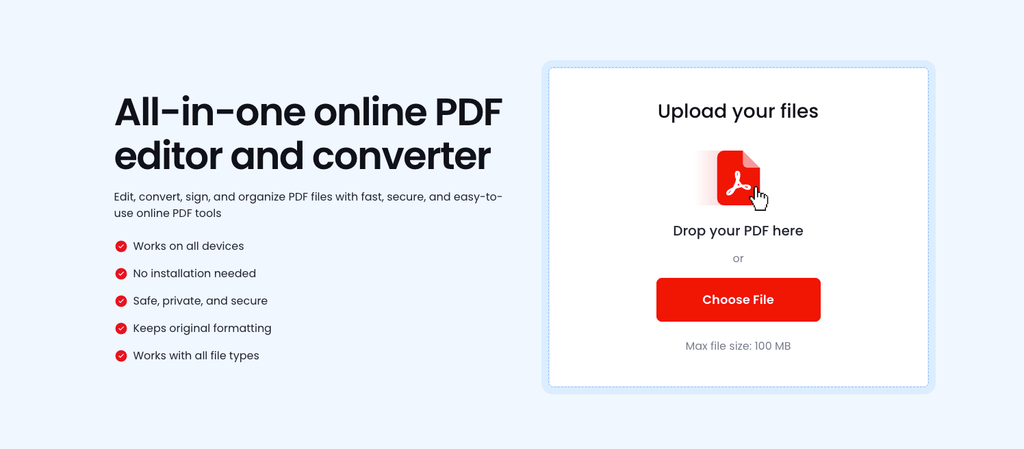
PDFCap addresses each of these directly. Files are encrypted on upload and deleted automatically after a short period, according to the company, and the service states it meets GDPR and PCI DSS requirements, standards that go beyond what most free PDF tools commit to publicly. Editing happens entirely in the browser with no account required for standard use, which limits how much personal information gets tied to a document in the first place.
That combination, stated data deletion, formal compliance standards, and no required account, is what makes PDFCap one of the safer defaults in a category where “free and fast” usually gets prioritized over “private and accountable.” Checking these five points before using any editor, including this one, remains the habit worth keeping either way, since no policy page replaces the five minutes it takes to actually read it.
FAQs
How should I check whether the file that I uploaded is deleted from the server after I am done editing it ?
A simple way to check this is by reading the return policies of the editor that you’re using on their site. A genuine editor site actually mentions in plain language about the time frame after which they delete your file and if you do not find one in the server that you’re currently using, then it is probably a sign to stop using that server.
Is my document still under risk if none of the confidential information is present inside the content of the PDF?
This is a valid question that most users have and it is worth knowing about. Even if the data inside a PDF file does not have sensitive information, meta data related to the file can actually reveal information which can put your privacy address such as your location data or your name. These details are especially at a greater risk if the file is passed outside your organisation.
Is a free platform safe to use?
Most platforms which label themselves as free or not actually free because every platform needs to recover the cost that they are spending. While some platforms do this by running ads others actually monetize the usage data which puts your information directly at risk. This is why double checking what free actually means on the site that you are using is a good option.
How can I ensure that my file remains protected?
To ensure that your file remains protected, you must choose a PDF editor platform that uses encryption while your file is being processed or while it is being transferred to another system so that nobody could process the sensitive information inside it while it is being transferred.