Most care about whether the content is accurate and specific. A resume that reads as generic will be skipped whether a person or a tool wrote it.

Quick Answer – An AI resume builder is a great way for those working remotely to develop customized resumes that fit well with automated tracking systems. What will work best for you will depend on what kind of help you need with your resume.
Getting hired for a remote job requires much more than just applying to lots of positions and hoping that one of them will pay attention to your application. Since companies receive resumes of candidates from all over the place, you have to make sure that your resume makes clear what your strengths are.
This is where an AI resume builder comes into play. An appropriate tool will be able to improve vague bullet points and emphasize the necessary experience. However, not all platforms solve the same problem.
Some will allow you to customize your applications, some will track your job search, and some will concentrate on design.
Here are ten AI resume builders that are worth comparing.
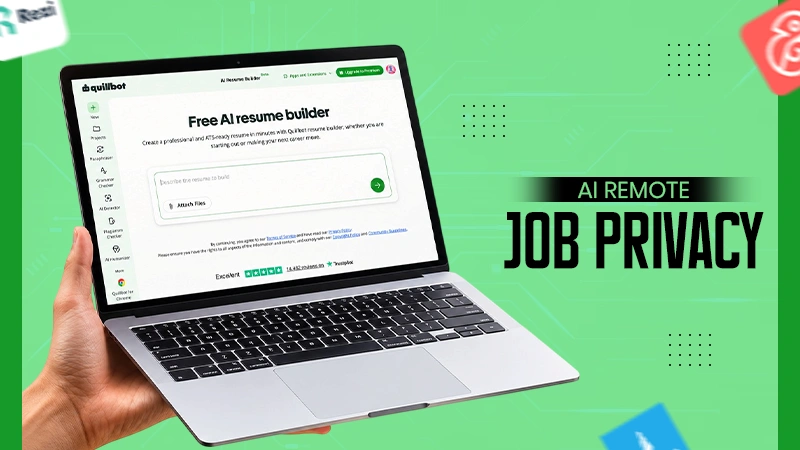
QuillBot is better known for its paraphraser and grammar checker, which plenty of people already use for cover letters and emails. Its ai resume builder sits in the same ecosystem, and for remote applicants, that combination is handy, because so much of remote hiring happens in writing anyway.
The resume builder is done section by section. You can create one from scratch, import an existing one, upload a file, or import from LinkedIn. You fill out your experience, and the AI helps with converting your descriptions into concise and results-oriented bullet points. There are a few templates to choose from (student, professional, minimalist, creative, and ATS-ready format), and you can customize colors, fonts, spacing, and the sections you want. The free version allows you to download your resume without a watermark, which is not always the case for this type of service. There is a Premium version for those who want more from QuillBot’s tools.
Where it suits remote job seekers specifically is the bullet rewriting. Remote roles reward clarity, and most first-draft bullets are vague. Here’s an example of the kind of change you’re after:
The AI gives you a starting point, and then you add the specifics only you know (how many tickets, which tools, which time zones). That second version says “I can work unsupervised” without using the phrase.
Because the templates lean toward standard, parse-safe formatting, you’re less likely to lose your work history to an ATS that can’t read a two-column layout. If you also write your cover letter in QuillBot’s grammar checker or paraphraser, you get a consistent voice across the whole application, which matters more than people think when a recruiter reads both documents back to back.
A small detail that helps save time is the LinkedIn import feature. A lot of remote job hunters tend to keep their LinkedIn profile more up-to-date than their actual resume, since recruiters often tend to find potential employees on LinkedIn. It is much easier to import your LinkedIn data into the resume builder and edit it rather than rewrite your experience from the past five years.
I’d put it first for anyone who wants a free, clean, readable resume and plans to do a lot of tailoring by hand.
Teal is built around the whole job search, not just the document. Its job tracker (with a browser extension that saves postings from job boards) sits alongside an AI resume builder, and you can see which keywords from a saved posting appear in your resume. For remote searches where you might apply to forty roles in a month, having the tracking and the tailoring in one place cuts out a lot of tab-switching. It has a free tier, with a paid plan for heavier AI use.
Rezi places great emphasis on ATS optimization. It grades your resume based on certain criteria and highlights problems such as lack of keywords, poor bullets, and formatting. The AI writer on Rezi can write bullets and summaries for you. It is a good platform if your biggest concern is being rejected by the system.
Kickresume has more design range than most ATS-focused tools, with a large template library and an AI writer that can generate a first draft of your resume or cover letter from your job title and a few details. The designs are nicer than the competition’s in several cases. Be a little careful with the more graphic templates if you’re applying through big ATS-driven portals, and stick with the simpler layouts there.
With Enhancv, there is more room to personalize by having sections related to projects, accomplishments, and other things that do not belong to the usual work history section. This is helpful for remote applicants in case most of their evidence for qualifications is connected to side projects or freelance assignments.
Jobscan started as a resume-to-job-description matching tool and has grown into a broader platform that includes a resume builder. You paste a job description, and it compares your resume against it and shows you a match rate. Its real value is the comparison, which you can use even if you build the resume somewhere else. I’ve seen people write in one tool and check in Jobscan, which works fine.
Another application that is job-tracker first is Huntr. It has a board for managing your applications as well as an AI resume builder and tailoring tool. If you are into visual pipelines (saved, applied, interviewing, offer), then Huntr will fit in easily.
Zety walks you through a guided builder with pre-written, AI-suggested content for many job titles. It’s quick. The pre-written suggestions are a decent starting point for people who freeze in front of a blank page, but they read generic if you don’t edit them, so treat them as scaffolding.
Resume.io provides an easy-to-use builder with templates and AI-enabled writing. Simple interface, quick to use. It is important to check out how downloading and subscriptions work before getting into it.
Canva isn’t a dedicated resume tool, but its resume templates are widely used, and its AI writing features can help draft text. It’s best for roles where visual presentation matters (design, social media, some marketing jobs). For applications going through strict ATS portals, a heavily designed Canva resume is a risk, because text in shapes and columns doesn’t always parse.
| Tool | Main strength | AI writing help | Job tracking | Best fit |
|---|---|---|---|---|
| Quillbot | Clear bullet rewriting, parse-safe templates | Yes | No | Remote applicants tailoring by hand |
| Teal | Tracker plus keyword matching | Yes | Yes | High-volume searches |
| Rezi | ATS scoring | Yes | Limited | Getting past filters |
| Kickresume | Template design | Yes | No | Design-conscious applicants |
| Enhancv | Flexible sections | Yes | No | Project-heavy backgrounds |
| Jobscan | Match rate vs. job posting | Yes | Yes | Checking tailoring |
| Huntr | Visual application board | Yes | Yes | Organised searchers |
| Zety | Guided pre-written content | Yes | No | Blank-page anxiety |
| Resume.io | Speed and simplicity | Yes | No | Quick builds |
| Canva | Visual layout | Yes | No | Creative roles |
Remote hiring managers tend to scan for a few things, and most resumes bury them somewhere around the second page.
Async communication. If you wrote documentation, ran a team’s weekly written update, or handled clients mostly by email, say so. “Wrote and maintained onboarding docs used by new hires across four countries” is stronger evidence than “excellent communication skills” in a summary.
Time-zone experience. Mention it when it’s real. “Coordinated releases between a team in Lisbon and a client in Toronto” tells a reader you’ve handled the overlap problem before.
Tools. Remote teams operate in Slack, Notion, Asana, Jira, Google Workspace, and other tools like that. List those that you’ve used in your skills section, but also include them in bullets where they helped you do something.
Self-direction. Look for projects you started, owned, or finished without much supervision. Even in office jobs, most people have a couple.
A summary that does some work. The two or three lines at the top get read more than anything else, so they shouldn’t be spent on adjectives. Compare these:
This second one is even longer and addresses the unspoken questions of the hiring manager sitting somewhere else (Can this person work alone? Can this person work in different time zones? Can this person work with clients? Can this person work in writing?) before even getting to the first job description, which is precisely where many skim readers make their decision of continuing or not.
Location and availability. Many remote roles are remote within a country or region. Put your city and country (or just the country and time zone, if you prefer) near the top so nobody has to guess whether you’re eligible.
Most AI resume tools accept some kind of instruction or job-description input. When I tailor for a remote role, I give the tool something like this:
Here’s the job description for a remote Customer Success Manager role (pasted below) and my current experience section. Rewrite my bullets to emphasise remote work, written communication, and ownership of accounts. Keep every fact accurate. Don’t add tools or numbers I haven’t listed. Keep each bullet under 25 words.
The “do not include any tools or numbers” directive prevents a very common mistake made by the AI – that of claiming you “managed a portfolio of 50+ accounts” when you did not mention it at all.
People using any ai resume builder tend to fall into a handful of traps, mostly because the output looks finished before it is.
Accepting the first draft. The AI version is usually smoother than your notes and still missing the specifics. Read every bullet and ask whether a stranger could have written it. If yes, add a detail only you know.
Writing “remote” everywhere. Saying “worked remotely” in every job entry adds nothing. Show the effects of working remotely instead: async handoffs, cross-time-zone coordination, documentation you wrote.
Too much design. Two columns, icons, circular bars of skills: they look nice in a PDF preview and often do not work properly in ATS. Simple layout with obvious headings will do the trick for most portal applications, while you may keep designed versions for sending via email or link to portfolio.
One resume for every role. Remote job boards make it easy to apply fast, which tempts people to send the same file everywhere. Even ten minutes of tailoring per application (reordering bullets, swapping in the posting’s language for the same skills) tends to pay off.
Ignoring the file name. “resume_final_v3_NEW.pdf” looks careless. “FirstName-LastName-Resume.pdf” takes a few seconds.
For a clean, neat, and well-formatted output, with good bullet-point rewrites and for free, QuillBot is the way to go. When you need to apply on a large scale, and you want all of it managed for you, Teal or Huntr is definitely going to save you from that pesky spreadsheet work.
If ATS anxiety keeps you up at night, run your draft through Rezi or Jobscan regardless of where you built it. Several of these have free tiers, so it’s perfectly reasonable to build in one and check in another.
Open the completed resume beside the job listing and underline all the requirements in the listing that can be matched in the resume. Anything left unhighlighted is either a gap you can’t fill, or something you’ve done and forgotten to write down. In my experience, it’s the second one more often than people expect.
Most care about whether the content is accurate and specific. A resume that reads as generic will be skipped whether a person or a tool wrote it.
For early-career roles, usually. With ten or more years of relevant experience, two pages is common and accepted.
Only if the posting asks for it, space is better spent on evidence of how you work.