Yes. Pika’s image-to-video workflow can use an existing product image as a visual reference and add movement based on a prompt.


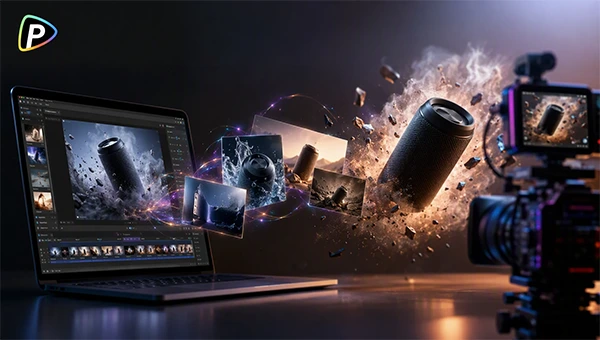
Quick answer: Pika on Pollo AI can quickly help turn product images into creative and engaging teaser videos with AI-generated motions and effects.
A product teaser can really affect the business generated by the upcoming product or video. One actually needs to use some smart tricks to make it interesting. One does not need to show everything at once. Rather, show the part that simply makes the audience curious about the upcoming thing.
Pika on Pollo AI makes it easy. You know how? It allows you to experiment various times until the desired thing is ready. Also, it seamlessly turns a photo into a creative video.
Keep reading to learn how to create eye-catching product teaser videos with Pika on Pollo AI.
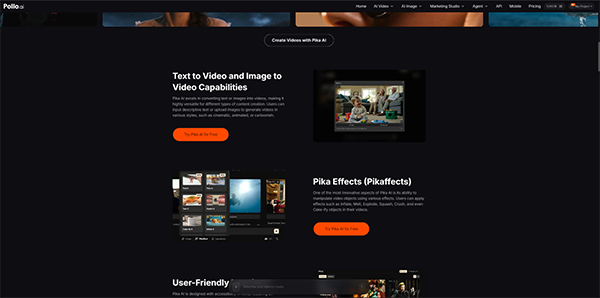
Pika is a natural fit for product teasers because it focuses on short, communicative video rather than long-form production. Its image-to-video generation and decorative effects can give marketers more chances to build a visual connection with consumers.
The same product image can support different themes. A sneaker, for example, could become a clean product reveal, a slow hero shot, or a playful makeover depending on the campaign. This makes it easier to test separate directions before turning to one.
Pika on Pollo AI also gives teams the ability to Pika alongside other AI video models and creative tools. A concept can be inspected with Pika and analyzed with another generation approach without rebuilding the protocol elsewhere.
For product marketing, this makes Pika on Pollo AI useful during the early promotional stage: start with an existing product image, test different dynamics and effects, and narrow down the teaser concept before spending more time in production.
Below are step-by-step instructions to help you understand the entire process to create a product teaser:

Start with the product image rather than attempting to fix a weak source later.
A clear silhouette, sensible lighting, and an uncluttered layout give the model a better visual reference. A front-facing shot works for a showoff, while a three-quarter angle can provide more depth for camera shifts.
If the product is already difficult to recognize in the source image, adding AI motion will not solve the problem.
Select Pika through the image-to-video workflow on Pollo AI and add the product image.
The official workflow allows users to supply an image, add a prompt, adjust available settings, and generate a video. The original product image acts as the visual base, while the prompt controls the movement and overall assessment.
The prompt does not need to cover everything visible in the image. Keep your eyes on the action.
For example, a perfume teaser might use a slow push-in, delicate bottle rotation, soft reflections, and personalized studio lighting. A sneaker teaser could use a camera move around the shoe with a quick light shift.
Avoid filling the prompt with nonspecific terms such as “beautiful,” “amazing,” or “high quality.” Instead, set forth what moves, how fast it moves, where the camera goes, and how the lighting adjusts.
Think of the prompt as a short shot describing it. That is usually sufficient to start testing.
The first cycle does not have to be the final one.
Using the same product image, test a slow presentation, camera push-in, or product rotation. A close-up can spotlight a design detail, while a stylized switch can suit a more playful campaign.
Keep prompts relatively simple so the gaps between generations are easier to define. Pika’s effects can also be tested here. They may offer a stronger visual hook, but can present more opportunities for product disorganization.
This step should not be removed.
AI-generated video can look pleasing at first glance while still posing problems on closer inspection. Product labels can vary, logos may become blurry, and the shape of a bottle or package can change during translation.
Pika’s official information also notes possible issues with temporal synchrony and visual fidelity, particularly in more complex times.
For an internal concept, that may be beneficial. For a paid advertisement, it may not be. If the product transforms too much, simplify the prompt or shorten the movement before adding more functions.
Also, learn how AI is changing the way we edit videos.
Various formats are available in the tool. Below are the three with testing:
A gradual reveal keeps the product slightly hidden at the very start. A slow camera movement or lighting change can create suspense without requiring an elaborate scene.
This is one of the safer variants because the product does not need to complete a complicated action.
The product stays straight while the camera provides most of the flow. A subtle rotation, push-in, or lighting change can make a static image appear more dynamic.
This approach is often better suited to products where labelling accuracy matters.
This is where Pika’s effects become more meaningful. An object can bubble up, melt, squash, or explode as part of the teaser plot.
The format can work well for playful campaigns, but dramatic transformations also create more spaces for product inconsistencies. If the product needs to remain prominent, simpler motion may be more attractive.
AI video generation is not simply a shortcut to a final advertisement.
Pika can be useful for sharing ideas, testing short social clips, or adding simple product motion. It becomes less helpful when a campaign demands exact packaging, frame-level control, hairsplitting brand typography, or complex multi-shot storytelling.
A strong product image also does not ensure a strong video on the first attempt. Some generations may display small visual errors or make the product significantly less impressive.
For that reason, Pika works more accurately as part of the creative process than as the entire execution pipeline.
Also, explore the top 11 AI video platforms for storytelling and short films in 2026.
In the end, Pika on Pollo AI gives marketers a straightforward way to turn existing product images into short teaser concepts without starting every campaign from scratch. The perfect results usually come as a result of keeping the source image clear, giving the model simple movement instructions, and testing various versions before selecting a direction.
For easy and quick directions, these features can truly help. When the right combination of logos or product details demands uniformity, however, much better production methods may still be required.
Yes. Pika’s image-to-video workflow can use an existing product image as a visual reference and add movement based on a prompt.
Yes, there are features and allowances to keep testing until the desired teaser or video is generated.
It can be great for campaigns, but advertisements demand more accurate packaging and control.