You can simply host static websites, small APIs, personal bots, and reverse proxies. With careful tuning, even a minimal WordPress site is possible.

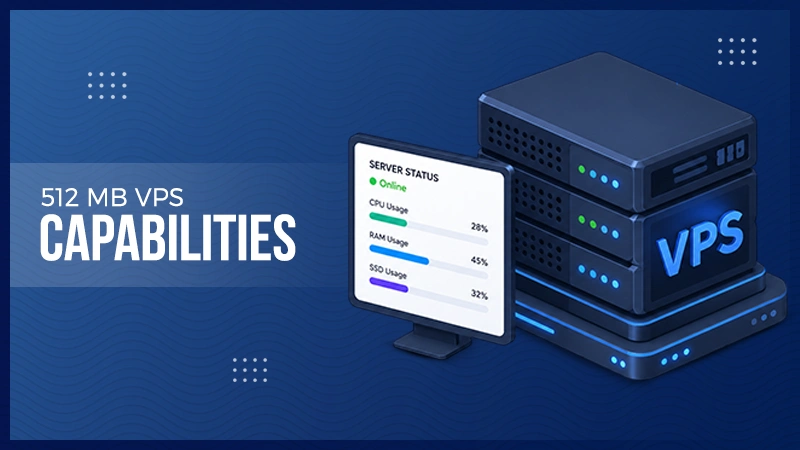
Quick answer: Yes, you can run static sites, small APIs, bots, reverse proxies, and even a WordPress blog on 512 MB. But this will be possible when you keep it focused and optimized. Anything heavier, such as big databases, e-commerce and search engines, will not support smooth surfing. Also, you can switch to a magento vps instead of squeezing the framework into a measly 512 megabytes of RAM.
You never get to hand all 512 MB right over to your website. Linux needs part of that memory. SSH needs some. Logging programs use more. Another portion of your memory goes to your web hosting provider. If you use PHP, Node.js, Python, a database, Redis, or even Docker, every process will be contending for the same tiny memory pool.
This is not making the server outdated. This is exactly how you change the approach to building your stack. It is suggested that you treat your memories as a budget. Everything that goes into it must be necessary and reasonable. If a certain tool just brings some marginal benefits and holds other operational procedures up and functioning all day long, then you have a problem.
You must also reserve a part of your memory for unplanned usage. While your application might be working fine with nobody using it, five simultaneous requests will say a completely different story.
The Linux system might start killing application processes because of the lack of free memory. The same issue is presented by Docker for hosts with containers. Under extreme memory pressure, the Linux kernel might set up its Out of Memory process and start killing apps.
Also, learn how to benefit the most from your home internet connection.
The answer depends on what you pray for the server to do.
| Workload | Can 512 MB Handle It? | Our View |
| Static website | Yes | Excellent use case |
| Landing page | Yes | Very comfortable |
| Small API | Yes | Keep the runtime lean |
| Personal bot | Yes | Good for modest workloads |
| Reverse proxy | Yes | Excellent focused role |
| Small SQLite application | Yes | One of the smartest options |
| WordPress | Sometimes | Requires careful optimization |
| Redis | Sometimes | Set a strict memory limit |
| Docker | Sometimes | Keep the container count low |
| Large MySQL database | No | Too little safety margin |
| Magento | No | Resource requirements are much higher |
| OpenSearch cluster | No | Far too demanding |
| Large analytics stack | No | Choose a larger VPS |
The table also shows why the grammatical construction “512 MB VPS” tells you only part of the story. A simple static site and an ecommerce store may both deliver web pages, but they consume resources in radically different ways.
If you want to host HTML, CSS, JavaScript, images, and other static files, 512 MB gives you plenty of room for a miniature project.
Nginx suits this job well. Its architecture uses worker algorithms to handle connections, and administrators can configure the number of workers in relation to CPU resources and workload. Nginx itself advises considering CPU cores, storage, and the actual load when specifying worker settings.
You could use a small VPS for:
You can also place a CDN in front of the VPS. The CDN can handle many images, scripts, and other files without consulting your origin server for every request. Your tiny VPS then has less work to do.
Do not try to calculate traffic demand from RAM alone. CPU performance, network speed, file size, caching, TLS, visitor behavior, and your hosting provider’s bandwidth limitations all affect the final result.
An application can also be positioned in 512 MB of memory and perform well. Webhook listeners don’t need a large amount of memory. The same would apply to a URL shortener, status URL, personal dashboard, and simple internal API.
Database choice will matter surprisingly much too. In case your application does not contain its own database server, you can save a lot of memory using SQLite. Your application will just read and write a database file rather than keeping MySQL or PostgreSQL running all the time.
We like such an algorithm for our personal applications and projects because this way we save resources and speed up the process.
However, you still need to test your project on real-world conditions. A Python script, Node.js server, and PHP application might behave differently based on the libraries used by an application, load, caching, and concurrency. It’s not the language that calculates how much memory is allowed. It’s your application.
You can, but we would add some conditions.
WordPress currently calls for PHP 8.3 or newer and either MariaDB 10.11 or MySQL 8.0. WordPress also recommends Apache or Nginx and mandates HTTPS for its modern recommended layout.
That already gives your tiny server many jobs. It needs to run the hosting system, web server, PHP, and database.
A small WordPress blog with a clean theme, few plugins, page caching, and low traffic is fine. It’s essential to optimize your stack and not just set everything up by default and ignore it afterward.
Plugin selection is even more crucial for a small VPS because one badly optimized plugin will consume more memory than multiple simple plugins put together. Tools for backups, page builders, security scans, imports, images processing, and automated tasks may also cause short memory peaks.
For our examinations with WordPress, for a personal blog, or for any site that doesn’t get much traffic, we would allocate 512 MB of RAM. If it’s a business website where unavailable functionality means loss of future leads or money, we’d give it more memory.
Having a server that can theoretically boot WordPress doesn’t indicate that you have a WordPress server you can count on during morning rush hour.
Indeed, Docker works on small VPSes. However, Docker does not provide additional RAM.
Containers have links to hardware resources of the host system. Docker offers you to impose both hard and soft limits on memory usage, which will allow you to stop one container from using all supplied resources. There is even a message in the documentation about Docker highlighting the possibility of Out Of Memory conditions on Linux.
It implies that the setup of your container should be fairly conservative. You can afford one container for small applications. However, a stack of an application, database, Redis, monitoring service, reverse proxy, queue worker, and other hosting containers is unlikely.
In this case, we would rather choose a common installation without containers in favor of every individual megabyte.
Redis stores data in memory, so you should treat it with caution on a server that has very little memory to start off with. Redis gives you a maxmemory setting. You can use it to limit the memory needed for cache data. Redis also supports dismissal policies that determine which keys it removes when the cache passes that limit.
Such control permits you to have a compact cache in Redis. You do not need to assign a bulk of the memory available in your computer to Redis and depend on all the rest to survive. We suggest thinking about Redis as an aid in the case of 512 MB of memory, not the main actor.
With a small VPS, swap will be a good safety net.
Through swap, Linux can take away some memory pages from the RAM. That way, it avoids an instant crash if your workload begins to surpass your available memory.
You should not think of swap as an extension to your actual RAM capacity.
Accessing storage is slower in comparison to accessing RAM. High usage of swap could cause your server to run very slowly. If your software always needs a swap to stay up, then you have definitely gone beyond the comfort zone of your VPS.
Another solution you could look at for Linux is zram. Zram builds compressed block devices in RAM and acts as swap. The Linux Kernel source code states that using compression can give memory saving and supposes the compression ratio to be about 2 to 1 when discussing zram size. Your ratio will actually vary based on your data since some memory pages compress much quicker than others.
Swap and zram are safety nets. They are not pretexts to overload your system.
The little VPS operates totally fine as long as you have just one use case for it.
Issues emerge if you use it as a compact data center.
Think about whether you are installing Nginx, PHP, MySQL, Redis, Docker, control panel, malware scanner, monitoring agent, backups, several sites, and additional tasks. Each particular service might be adequate on its own. Combined, they might indicate almost no room for actual users.
Our team would not go for these cases on 512 MB:
The example of the gap is provided by Adobe Commerce. According to the hardware projections of Adobe made in June 2026, the memory for PHP on a single server store should be 2 GB. There are cases when some computations require less memory, while others require much more.
If the system requires more memory for some special process than the whole amount available on your VPS, then optimization cannot provide relief.
You do not require a variety of hacks. You require a few disciplines.
First, we would set up a standard Linux distribution with no graphical desktop installed. It will seldom be handy for a server.
Second, we would look at each service that has been started up. If you do not use a daemon, there is no compelling reason to have it installed.
Third, we would select a customized software stack. Nginx with a custom application might suffice. Nginx with PHP and MySQL might also do. However, Nginx with PHP, MySQL, Redis, and a further ten machines makes all the difference.
Fourth, we would regulate concurrency. Ten processes may use far more RAM than two. Ten processes does not necessarily increase efficiency on a small machine.
Finally, we would audit the server under load.
You can use tools such as free, top, htop, and ps to visualize memory consumption. Check the VPS during normal traffic, deployments, backups, imports, planned jobs, and application restarts.
Do not convert from an idle screenshot. Your busiest five minutes tell you much more about when 512 MB is enough.
You should acquire more RAM when memory management becomes a daily concern instead of an irregular optimization task.
Frequent swap usage gives you one warning. Repeated process errors give you another. Slow database operations, failed updates, and frequent attempts to reduce worker counts also tell you that your workload may have overwhelmed the machine.
You should also think seriously about the importance of your time.
Saving a small amount on a VPS plan makes perfect sense when you run a hobby business. Working for several hours every month fighting memory limits often offers less sense for a commercial service.
Our experts choose to leave some unused capacity rather than operate forever at the edge. That spare memory allocates your server room for updates, temporary spikes, maintenance tasks, and future enhancements.
Also, learn how to set parental controls on your internet modem.
At the end of the day, a 512 MB VPS is not about doing everything; it is more about doing one thing but in a better way. When you put the same into various tasks, maybe none of them works out. But when you dedicate it to a single one, things will definitely work.
With focus, you will be surprised by the results and how much it can handle. But the moment you start piling on services, plugins, and heavy-traffic apps will hit limits fast.
You can simply host static websites, small APIs, personal bots, and reverse proxies. With careful tuning, even a minimal WordPress site is possible.
Yes, but only if you use a lightweight theme, minimal plugins, enable caching, and keep traffic low.
Yes, as a safety net only. When it is considered as a solution, things start to fall apart. During memory spikes, heavy reliance will cause the server to go down.