Every great visual begins with an idea, but traditionally, turning that idea into a picture- perfect visual has required creative skills, expensive software and whatnot.
But today AI has changed that dynamic.
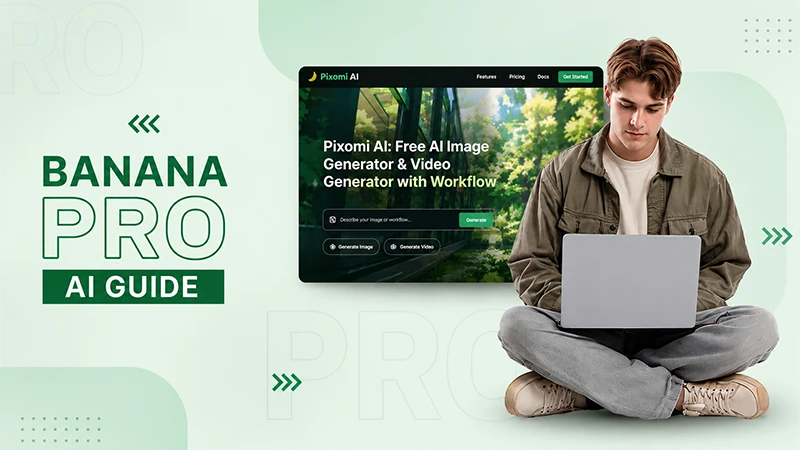
With Banana Pro AI, now you can turn the text prompts or existing photos into visuals that too without any extra hustle.
The blend of AI Image Generator and AI Image Editor makes it the best platform for such edits within seconds. Read further to know what other features it holds!
Key Takeaways
Banana Pro AI enables fast text-to-image and image-to-image generation, helping creators produce professional visuals in seconds.
Multiple AI models, style presets, and editing tools provide flexibility for marketing, e-commerce and more!
High-resolution, watermark-free images with commercial usage rights simplify content creation and reduce costs.
The platform further streamlines workflows by combining image generation, editing and storage features.
What Is AI Image Generation?
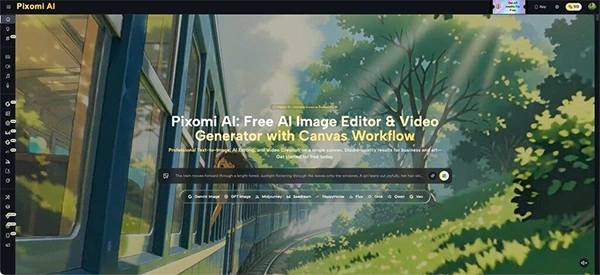
At its core, this feature lets users create unique images from a text description or transform an uploaded photo using AI-driven instructions, known respectively as Text to Image and Image to Image. Inside Pixomi AI, the feature functions as the primary engine that other tools—like style presets, batch generation, and the Canvas Workflow—are built around. For marketers and social media managers, this means reduced stock photo searches and quicker turnaround on campaign visuals, blog graphics, and product imagery.
Traditional Challenges of Image Creation
Before AI tools like this existed, producing visual content came with real friction:
Engaging photographers or designers for every new concept or product shot
Extended turnaround times between a creative brief and a finished asset
Licensing restrictions on stock photography that restrict commercial use
Difficulty producing multiple style options for A/B testing
Manual editing tools requiring design expertise most marketers don’t have
These constraints delay content calendars and inflate production budgets. That’s why teams increasingly look for AI-based alternatives that shorten the idea-to-asset timeline and eliminate licensing friction, letting non-designers generate professional-looking output on demand.
How Pixomi AI Handles Image Generation
Let us now understand how Pixomi AI handles the Image Generation process with ease.
Dual Creation Modes: Text to Image and Image to Image
The feature’s core is its dual-mode engine: Text to Image generates original visuals from a written description, while Image to Image modifies an uploaded photo using style transfer or targeted edits. This lets users either start from scratch or enhance an existing asset, which is useful for e-commerce sellers updating product photos or marketers repurposing brand imagery.
Multiple AI Models for Different Needs
Pixomi AI gives users access to multiple models within the same generator, including a flagship high-quality model, a speed-optimized option for rapid iteration, a context-aware model for complex scenes, a conversational chat-based model, and a precision model suited to technical illustrations. Switching between models lets users adapt the tool to the task, whether that’s high-speed batch content or detail-heavy concept art.
Style Transfer & Presets
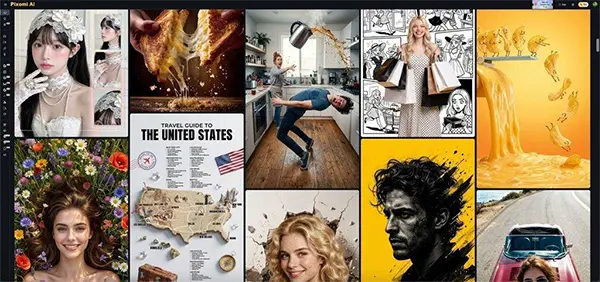
A library of artistic styles and presets sits on top of the core generator, letting users apply effects like photorealistic, anime, vintage, or minimalist to any generation. Style intensity can be adjusted and customized, which supports brand consistency across a content calendar without manual editing.
Output & Usage – Ready for Real Content
Output comes as high-quality PNG files, with resolutions reaching up to 4K depending on the model and generation type, and downloads remain watermark-free. Images are generated with commercial usage rights included on the free tier, meaning they can be used in ads, product listings, blog posts, and social content without additional licensing steps. Typical use cases include marketing creatives, e-commerce product visuals, blog illustrations, and social graphics.
How to Use It
Now let us understand how to use it efficiently for the best results :
Step 1 – Prepare Input
Before generating, decide whether you’re starting from a text prompt or an uploaded photo. For text-based generation, write a detailed description of the subject, setting, and desired mood—for example, “a minimalist product shot of a ceramic mug on a marble counter, soft morning light” or “a futuristic skyline illustration in flat design style for a tech blog header.” For Image to Image work, have your reference photo ready in JPEG, PNG, or WebP format, under the platform’s file size limit.
Step 2 – Configure Settings
Once your input is set, adjust the generation settings: choose your AI model, select an aspect ratio, and set style intensity to match your preferred creative direction. This is also where the platform’s Banana Pro AI capabilities come in, allowing precise natural-language edits to specific parts of an image before or after generation. Smart suggestions can help improve prompts if results don’t match expectations on the first try.
Step 3 – Generate & Export
Click generate to produce results, typically arouns 5 to 10 seconds depending on the model chosen. Preview the output, regenerate with adjustments if needed, and download the final version in high resolution once satisfied. Every image is automatically saved to a cloud library, so past generations can be revisited or reused across future projects according to the platform’s commercial usage terms.
Use Cases for Content Teams
Marketing and Campaign Teams — Marketers use the generator to produce multiple hero image variations for A/B testing, cutting down on these expensive photoshoots for every new campaign.
Social Media Managers — Content creators often generate custom thumbnails, Instagram graphics, and platform-specific visuals to keep posting schedules consistent without design bottlenecks.
E-Commerce Sellers — Online sellers can turn basic product photos into lifestyle imagery using Image to Image, avoiding repeat photoshoots for seasonal or promotional variants.
Designers and Agencies — Creative teams mostly use the tool for rapid concept development and mood boards, freeing up time for higher-value client work.
Conclusion
Within the broader landscape of AI image tools, Pixomi AI’s approach to image generation stands out for combining multiple models, style presets, and editing tools into a single accessible workflow.
It addresses the real pain points of slow production timelines and licensing friction that have long slowed down visual content teams.
FAQs
How does the generation workflow actually work?
Users either type a text description or upload a photo, choose a model and style settings, then click generate; the AI processes the input and returns a finished image within seconds. Results can be refined further using natural-language edit instructions or regenerated with adjusted prompts.
Can generated images be used commercially?
Yes, images created through this feature include commercial usage rights on the free tier, so they can generally be used for marketing, e-commerce, and client work without extra licensing fees. As with any AI-generated content, it’s still worth reviewing specific platform terms for edge cases like trademarked or sensitive material.
Which AI models are available for image generation?
The feature offers five models, ranging from a flagship high-resolution model to a speed-optimized option and a technical-precision model for detailed illustrations. Users can switch models per project depending on whether they need speed, artistic nuance, or structural accuracy.